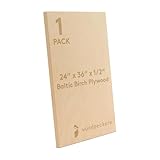
So, you’ve seen those slick videos, right? Someone whirring away with a Cricut, making all sorts of fancy things. And then you get this brilliant idea: ‘Can Cricut cut plywood?’ It’s a question that pops into a lot of crafters’ heads when they want to step up from paper or vinyl. I’ve been there, staring at a piece of thin plywood, thinking my little machine could handle it. The honest truth is, it’s not as simple as cutting cardstock.
It’s a common misconception that any cutting machine can just power through any material. My own journey with the Cricut involved a steep learning curve, especially when I started eyeing thicker stuff. Let me save you some headaches and tell you what’s really possible.
The Truth About Cricut and Plywood Thickness
Let’s cut to the chase: can Cricut cut plywood? Yes, but with significant caveats. It entirely depends on the type of Cricut machine you have and, more importantly, the thickness of the plywood. Don’t go thinking your Cricut Joy is going to slice through a quarter-inch sheet like butter. That’s a recipe for disappointment, and likely a broken blade and a stressed-out machine.
Most Cricut machines, like the Explore series and the Maker, are designed with a maximum cutting depth that’s far less than typical plywood. The Maker, with its Adaptive Tool System, is the closest you’ll get to ‘yes’ because it can handle thicker materials with the right blade. Specifically, the Knife Blade on the Maker is your best bet. Even then, we’re talking about very thin plywood, usually 1/16th of an inch or about 1.5mm. Anything thicker than that, and you’re pushing your luck, and your machine’s limits.
I remember my first attempt. I had a small, 1/8th inch (3mm) piece of Baltic birch plywood. I read online that the Maker could do it. So, I slapped on the Knife Blade, cranked up the pressure, and hit ‘go’. It sounded like my machine was chewing gravel. After about five passes, it had barely made a dent. I ended up with a mangled mess, a dull blade, and a profound respect for materials that actually want to be cut by a vinyl plotter. It took me three more tries, each time reducing the plywood thickness and adjusting settings, before I got a clean cut on something around 1/16th inch.
The key takeaway here is that ‘plywood’ isn’t a single entity. There are many varieties and thicknesses. If you’re dreaming of intricate designs in thick craft wood, you’re going to need a different tool altogether. Think scroll saws, laser cutters, or CNC machines. They’re built for that kind of work. Your Cricut is a precision cutting tool for paper, vinyl, fabric, and sometimes thin wood, but it’s not a lumber mill.
What You Actually Need to Try Cutting Plywood
If you’ve got a Cricut Maker, you’re already halfway there. But ‘halfway there’ is the operative phrase. You can’t just grab any blade and expect magic. The number one thing you need is the Knife Blade. This is not included with the machine; you have to buy it separately. It’s designed for thicker, tougher materials, and it works by making multiple passes. So, when you’re cutting something like 1/16th inch plywood, the machine will likely run over the design 10-20 times, gradually increasing the depth of the cut with each pass.
Beyond the blade, the quality of your plywood matters. Don’t grab the cheapest, roughest stuff you can find. Look for Baltic birch plywood that is specifically labeled as thin or craft plywood. It’s usually smoother, has fewer voids, and is more consistent in thickness. You’ll find it in thicknesses like 1/16th inch (1.5mm) or sometimes 1/8th inch (3mm) – though 1/8th inch is pushing it, even for the Maker with the Knife Blade.
You’ll also need a StrongGrip cutting mat. This is a must. Regular grip mats won’t hold the material securely enough, and you’ll end up with shifting and tearing. The StrongGrip mat provides that extra tackiness needed to keep the plywood from budging during those multiple passes. (See Also: Can A 4x8 Plywood Fit In A Honda Pilot )
Finally, patience is a virtue you’ll need in spades. Cutting thin plywood with a Cricut isn’t a quick job. A simple design can take 30 minutes to an hour, sometimes more, depending on the complexity and the material. It’s not like cutting vinyl, where you can whip out a project in five minutes. You’ll also need to manage your expectations. Intricate details might not come out perfectly clean, and you might need to do some light sanding afterward. This is a project that requires a significant time investment from both you and your machine.
Common Mistakes and How to Avoid Them
I’ve made enough mistakes with my Cricut that I could write a book. When it comes to cutting plywood, the pitfalls are numerous, and they all boil down to either expecting too much or not preparing enough. First off, the biggest mistake is using the wrong machine or the wrong blade. If you have an Explore Air 2 or older, forget about it. Your machine simply doesn’t have the capability. Even with a Maker, if you try to use the standard Fine-Point Blade, you’ll ruin it. It’s not designed for wood, and you’ll dull it instantly, rendering it useless for its intended materials like vinyl and cardstock.
Another common error is using plywood that’s too thick. Seriously, people try to cut 1/4 inch or even 1/2 inch plywood. This isn’t a paper cutter; it’s a precision cutting machine for craft materials. If you’re looking at a piece of plywood and thinking ‘this feels substantial,’ it’s probably too thick for your Cricut Maker, even with the Knife Blade. Stick to 1/16th inch (1.5mm) and maybe, just maybe, some 1/8th inch (3mm) if you’re feeling brave and have a good quality piece.
Underestimating the number of passes is also a killer. The machine will tell you how many passes it thinks it needs, but often, you’ll need more. If the cut isn’t deep enough after the first round of passes, don’t just jam ‘go’ again. Manually increase the number of passes in Design Space. I’ve had to go up to 20 or even 25 passes for a decent cut on 1/16th inch balsa wood, which is even softer than plywood. For plywood, you’ll likely be in the 10-15 pass range.
Finally, rushing the process. You’ll be tempted to peek, to see how it’s going. Don’t. Let the machine do its thing. If you stop it prematurely and try to restart it, you’ll likely end up with misaligned cuts. Also, make sure your material is securely adhered to the mat. Any lifting or shifting will ruin the project. I learned this the hard way when a corner of my plywood lifted halfway through a 20-pass cut. The result was a jagged mess that looked like it had been attacked by a tiny, angry badger.
Plywood vs. Balsa Wood vs. Basswood
When people talk about cutting wood with a Cricut Maker, they often lump everything together. But there are differences, and they matter. Balsa wood is the lightest and softest of the craft woods. It’s porous and cuts relatively easily with the Knife Blade, though it can still splinter if you’re not careful. Basswood is denser and harder than balsa, making it a bit more challenging but still manageable for the Maker with the Knife Blade, usually up to 1/8 inch thickness.
Plywood, especially thin craft plywood like Baltic birch, falls somewhere in between. It’s denser than balsa and often denser than basswood of the same thickness due to its layered construction. This means it requires more passes and potentially more blade pressure than balsa or even basswood. The quality of the plywood also plays a huge role; voids in the layers can cause the blade to snag or tear. So, while the Maker can cut plywood, it’s often a more finicky process than cutting balsa or basswood.
Real-World Projects and What to Expect
So, what can you actually make with thin plywood and your Cricut Maker? Think small-scale, intricate decorative items or components for larger projects. Tiny wooden signs for dollhouses, delicate wooden jewelry pieces, small decorative elements for scrapbooking or mixed-media art, or even custom wooden coasters if you’re patient enough for multiple passes. (See Also: Can Bondo Be Applied To Plywood )
The biggest thing to manage expectations about is the finish. You’re not going to get the smooth, perfectly crisp edges you’d get from a laser cutter. There will likely be some slight fuzziness or minor splintering along the cut lines, especially on the top and bottom layers of the veneer. You might need to do some light sanding with fine-grit sandpaper to clean up the edges. If you’re painting or staining the wood afterward, these imperfections can often be masked.
One project I attempted was a set of wooden place cards for a dinner party. I used 1/16th inch Baltic birch. The design was simple lettering. It took about 45 minutes to cut all ten cards. The edges were okay, but I spent another 15 minutes with a fine-grit sanding block cleaning them up. Once painted and assembled, they looked great, and no one knew the effort that went into them. It’s definitely achievable, but it’s not a ‘set it and forget it’ kind of deal.
Another consideration is the smell. Cutting wood, even thin plywood, can produce a distinct smell. Make sure you’re in a well-ventilated area. It’s not as intense as burning wood, but it’s noticeable. And be prepared for wood dust. It’s fine and gets everywhere, so have a brush and vacuum handy for cleanup.
Plywood vs. Other Materials for Cricut
When comparing plywood to other materials you might cut with a Cricut Maker, it’s important to understand where it sits on the difficulty scale. Vinyl, for instance, is incredibly easy. It cuts in a single pass with minimal pressure. Cardstock and paper are also straightforward, requiring a few passes but generally not posing much of a challenge. Fabric, when stabilized, can be cut with the Rotary Blade, offering a different kind of cutting experience.
Thin wood like balsa and basswood are the next step up in difficulty. They require the Knife Blade and multiple passes. Plywood, due to its layered structure and often higher density, is generally more demanding than basswood of equivalent thickness. It’s also less forgiving of blade imperfections or machine calibration issues. If you’re struggling with basswood, you’ll likely struggle even more with plywood. The goal with plywood is to get a clean score line that gradually deepens, rather than a single aggressive cut that risks tearing or burning out the motor. It’s a delicate balance of speed, pressure, and multiple, shallow passes.
The Verdict: Is It Worth It to Cut Plywood with a Cricut?
So, the big question: can Cricut cut plywood, and is it worth the hassle? The answer, as with many things in crafting, is ‘it depends.’ If you have a Cricut Maker, the Knife Blade, and you’re working with very thin craft plywood (1/16th inch or 1.5mm), then yes, it is possible to cut plywood.
However, ‘possible’ doesn’t always mean ‘practical’ or ‘easy.’ It’s a slow, tedious process that requires a lot of passes, a lot of patience, and a willingness to accept that the results might not be perfectly crisp. You’ll need to manage your expectations and potentially do some post-cutting cleanup like sanding. If you’re looking for quick, high-volume production of wooden items, or if you’re dealing with thicker plywood, your Cricut Maker is simply not the right tool for the job. In those cases, investing in a dedicated laser cutter, CNC machine, or even a good quality scroll saw will be far more efficient and yield better results.
I’ve used my Cricut for thin plywood projects when I needed that specific level of detail that a scroll saw couldn’t quite achieve, or when I was making a small batch of decorative elements and didn’t want to set up a larger machine. It served its purpose, but I wouldn’t consider it my go-to method for woodworking. It’s more of a niche capability for advanced users who understand its limitations and are willing to put in the extra effort. (See Also: Can Cat Plywood Be Used For Exterior Siding )
If you’re just starting out with craft woods, I’d recommend learning balsa and basswood first. Get comfortable with the Knife Blade and the process of multiple passes. Once you’ve got a handle on those, you can then decide if tackling thin plywood is a challenge you’re ready for. Just remember, it’s not a magic wand; it’s a precision tool that has its limits, and plywood is at the edge of those limits.
People Also Ask: Cricut Plywood Cutting
Can a Cricut Maker 3 Cut Plywood?
Yes, the Cricut Maker 3 can cut thin plywood, specifically 1/16th inch (1.5mm) thickness, using the Knife Blade. It’s important to use the correct blade, a StrongGrip mat, and to expect multiple passes for the cut to complete. Thicker plywood, such as 1/8th inch or more, is generally too thick for the Maker 3 and will likely damage the machine or result in a poor cut.
What Thickness of Plywood Can a Cricut Maker Cut?
The Cricut Maker (including the Maker 3) is generally recommended for cutting plywood up to 1/16th inch (1.5mm) thick. Some users have reported success with very high-quality 1/8th inch (3mm) plywood, but this is pushing the limits, requires many passes, and is not guaranteed. Thicker materials will not cut cleanly and can damage your machine.
Can Cricut Explore Air 2 Cut Plywood?
No, the Cricut Explore Air 2 cannot cut plywood. The Explore series machines lack the Adaptive Tool System and the necessary motor strength to handle materials as dense and thick as plywood, even very thin varieties. The Knife Blade, which is key for cutting wood, is only compatible with the Cricut Maker machines.
What Blade Do I Need to Cut Plywood with Cricut?
To cut plywood with a Cricut Maker machine, you absolutely need the Knife Blade. This specialized blade is designed for thicker, more dense materials and works by making multiple passes to gradually cut through the material. The standard Fine-Point Blade is not suitable for wood and will be damaged if you attempt to cut plywood with it.
| Cricut Machine | Plywood Thickness (Recommended) | Required Blade | Likelihood of Success | Verdict |
|---|---|---|---|---|
| Cricut Maker / Maker 3 | 1/16 inch (1.5mm) | Knife Blade | High (with patience) | Possible, but slow and requires care. |
| Cricut Maker / Maker 3 | 1/8 inch (3mm) | Knife Blade | Medium (risky) | Challenging; expect imperfect cuts and potential machine strain. |
| Cricut Explore Air 2/3, Joy, etc. | N/A | N/A | Zero | Cannot cut plywood. |
Final Thoughts
So, to wrap it up, while the idea of your Cricut effortlessly slicing through plywood is appealing, the reality is far more nuanced. If you’ve got a Cricut Maker and a burning desire to work with incredibly thin sheets of craft plywood, it’s achievable. Just be prepared for a marathon, not a sprint. You’ll need the Knife Blade, a StrongGrip mat, and a good dose of patience.
For most people, however, trying to cut plywood with a Cricut might be more trouble than it’s worth. There are other materials that work beautifully with these machines, and if you’re serious about woodworking, a dedicated tool will serve you far better. Don’t let the glossy online videos fool you; can Cricut cut plywood? Yes, but maybe you shouldn’t make it a habit.
My advice? Start with easier wood materials like balsa or basswood to get a feel for the Knife Blade. If you conquer those and still crave the challenge, then cautiously experiment with the thinnest plywood you can find. Just remember, your Cricut is a craft tool, not a lumberjack.