I remember the first time I saw someone trying to cut plywood with a Cricut Maker. It was a disaster. Sawdust everywhere, a dull blade screeching like a banshee, and a piece of wood that looked like it had been attacked by a rabid squirrel. So, when people ask me, ‘Can Cricut Maker 3 cut plywood?’, my immediate, visceral reaction is a loud, ‘Are you insane?’ But then I remember that the Maker 3 is a different beast, and the question isn’t just about power, but about understanding the limits.
Let’s be real here. This machine isn’t a CNC router. It’s a sophisticated knife and blade system designed for paper, vinyl, and cardstock. So, expecting it to chew through thick hardwoods is asking a lot. But what about those thinner sheets, the balsa wood adjacent stuff? That’s where things get interesting, and where my initial ‘no way’ starts to waver.
The Truth About Plywood and the Maker 3
Alright, let’s cut to the chase. Can the Cricut Maker 3 cut plywood? The short answer is: sometimes, with a lot of caveats, and usually not the thick stuff you’re thinking of for structural projects. The Maker 3 boasts a significantly stronger cutting force than its predecessors – up to 4 kilograms of force, to be exact. This is a big deal for thicker materials. However, it’s still fundamentally a blade-driven system. Plywood, especially anything thicker than 1/8 inch (3mm), is dense, fibrous, and can be unforgiving. Trying to force a standard blade through it repeatedly is a recipe for disaster, both for your project and your machine’s blade.
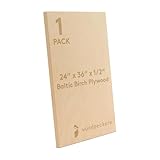
The key here is understanding what ‘plywood’ even means in this context. We’re not talking about the half-inch oak you’d use for a workbench. We’re talking about craft-grade balsa wood, basswood plywood, or very thin birch plywood, typically 1/16 to 1/8 inch thick. Even with these, you’re going to need the right tools and techniques. For instance, I once tried to cut some 1/8 inch birch plywood for a miniature dollhouse furniture project. I thought, ‘It’s thin, the Maker 3 can handle it.’ Well, it did cut it, but not in one pass. It took about ten passes, and the blade was absolutely toast afterward. I learned a valuable lesson that day about blade longevity and patience.
What You’re Actually Dealing With
When you’re looking at ‘plywood’ for a Cricut, you’re usually talking about a few specific types. Basswood is popular because it’s relatively soft and consistent. Balsa wood is even softer but can splinter easily. Thin birch plywood can work, but its grain can be tougher. The Maker 3 can cut these materials, but it’s a process. You’ll be using the Knife Blade, which is designed for thicker materials. This blade is a beast compared to the standard blade, but it’s also more expensive and wears down faster. So, the initial outlay for the blade itself is higher, and the cost per project goes up significantly.
Getting the Right Blade and Settings
So, you’ve got your thin basswood or birch, and you’re determined to make it work. The absolute first thing you need is the Cricut Knife Blade. Do not even think about trying this with the Fine-Point Blade. It’s like trying to dig a trench with a toothpick.
The Knife Blade is specifically designed for thicker, denser materials. It’s a roller-ball tip blade that can make multiple passes, gradually cutting through the material. You’ll also need a StrongGrip cutting mat.
Regular mats just won’t hold that plywood securely enough, and you’ll end up with a warped, uneven cut, or worse, the material shifting mid-cut and ruining everything. I learned this the hard way when I tried to save a few bucks on a mat for a balsa wood project; the piece shifted, and I ended up with jagged edges that were impossible to fix. It cost me more in wasted material than a new StrongGrip mat would have.
Once you have the right blade and mat, the real work begins with the settings in Design Space. You’re not just going to select ‘wood’ and hit go. You’ll need to find or create a custom material setting. (See Also: Can A 4x8 Plywood Fit In A Honda Pilot )
Cricut does offer a ‘Basswood, 1/8 inch’ setting, but even then, it often requires adjustments. You’ll be looking at multiple passes – typically 8 to 12 – and a higher pressure setting.
The software will guide you through the number of passes, but always be prepared to add more if needed. A good rule of thumb is to check the cut progress after each pass.
If you can still feel a significant amount of resistance or see uncut areas, send it through again. It’s better to do an extra pass than to have an incomplete cut that ruins the whole sheet.
Blade Care Is a Must
Here’s the blunt truth: using the Knife Blade on wood, even thin wood, will shorten its lifespan considerably. These blades aren’t cheap, and they’re not designed for infinite use. After a few projects, you’ll notice a degradation in cut quality. Edges will become rougher, and you might find you need more passes. If you’re planning on doing a lot of wood projects, factor in the cost of replacement blades. I tend to use my Knife Blade for wood projects exclusively, and I keep a separate one for cardstock or other softer materials to maximize its life. It’s an investment, but it’s better than constantly struggling with dull blades.
Common Mistakes and How to Avoid Them
Let’s talk about the landmines people step on when attempting this. First off, the material quality. Not all ‘plywood’ is created equal. Some cheaper versions can have voids or knots within the layers that the blade will snag on, leading to tears or incomplete cuts.
Always inspect your wood before you place it on the mat. If you see any obvious flaws, it’s probably best to find a different piece.
Secondly, not securing the material properly. I’ve seen people just lay the wood down and hope for the best. That’s a rookie mistake.
You need to make sure the entire piece is firmly adhered to the StrongGrip mat. Sometimes, I even use a brayer tool to press the wood down firmly after I’ve placed it. This makes sure maximum contact and minimizes the chance of shifting during the cut. (See Also: Can Bondo Be Applied To Plywood )
Another common pitfall is impatience. You will hear the Maker 3 working hard. It’s going to sound different than cutting paper. It’ll be louder, slower, and more deliberate. Resist the urge to stop the machine if it sounds like it’s struggling. If you’ve got the right settings and the material is properly secured, let it do its thing. Stopping and restarting can cause registration issues. I once stopped a cut because I thought it was taking too long and ended up with a partial cut that was misaligned with the next pass. It was a total write-off. You just have to trust the process and the machine’s ability to execute the passes it’s been programmed for.
The ‘everyone Else Is Doing It’ Trap
Here’s a contrarian take: a lot of online advice suggests the Maker 3 is practically a mini-CNC router for wood. I disagree. While it can cut thin wood, it’s not its intended purpose, and pushing it too hard is a mistake. People see amazing projects online and assume it’s easy.
It’s not. It requires the right blade, the right mat, precise settings, and often, some manual intervention or troubleshooting. If you’re looking to make dozens of intricate wooden pieces for a craft fair, this might not be your most efficient or cost-effective solution. Consider the wear and tear on your machine and blades.
For hobbyists doing occasional projects, it’s feasible, but for serious production, you’ll want to look at more specialized equipment.
Real-World Use Cases and Limitations
So, what can you realistically make with the Cricut Maker 3 and thin plywood? Think small, intricate details for mixed-media art, miniature architectural models, custom wooden puzzle pieces (if they’re small and not too thick), or delicate decorative elements for scrapbooking or cardmaking. I’ve used it to cut small wooden tags for gifts, which turned out beautifully. They were about 2 inches by 4 inches, made from 1/16 inch basswood, and the fine details on the lettering were sharp. This is the sweet spot for the Maker 3 and wood.
What you can’t realistically do is cut out sturdy boxes, larger signs, or anything that requires significant structural integrity from wood thicker than 1/8 inch. The cut quality will suffer, and you risk damaging your machine. Remember that blade depth and force are only part of the equation. The way the blade moves, the rigidity of the machine, and the material itself all play a role. If you’re looking to build furniture, even small pieces, or cut out shapes for laser cutting, this is not the tool for the job. It’s a precision cutting machine, and while it has some surprising capabilities, it’s not a lumber mill.
Material Thickness Matters Most
The biggest limiting factor, hands down, is material thickness. The official Cricut recommendation for the Knife Blade and wood is generally up to 3/32 inch or 1/8 inch, depending on the specific type of wood and its density. Anything beyond that, and you’re entering territory where the Maker 3 will struggle significantly. I tried cutting some 1/4 inch craft plywood once, thinking I could just do a lot of passes. Big mistake. The blade got stuck halfway through, the motor whined in protest, and I had to manually disengage the blade. It was a mess, and I was lucky I didn’t fry the motor. So, stick to the thinner stuff. Seriously.
Alternatives and When to Consider Them
If you find yourself wanting to cut thicker woods or larger pieces, or if you’re just finding the whole process with the Maker 3 too finicky and expensive (due to blade wear), it might be time to consider other tools. A scroll saw is fantastic for intricate curves and can handle much thicker wood. For straight cuts or larger sheet materials, a table saw or miter saw is key. If you’re really into intricate wood designs and have the budget, a small desktop CNC router is the next logical step. These machines are designed from the ground up to cut wood and other hard materials with precision and speed. (See Also: Can Cat Plywood Be Used For Exterior Siding )
I have a small scroll saw that I picked up for about $100 a few years back, and honestly, for anything beyond the thinnest plywood, it’s a lifesaver. It doesn’t have the digital precision of the Cricut, but it cuts through wood like butter. I use it for thicker wood pieces where the Cricut would just choke. It’s a different kind of craft, but it opens up so many more possibilities with wood. The Maker 3 and a scroll saw complement each other well for different types of projects. It’s about using the right tool for the right job, and recognizing when the Maker 3 is being pushed beyond its intended limits.
| Material Type | Max Thickness (Approx.) | Cricut Maker 3 Verdict | My Opinion |
|---|---|---|---|
| Basswood | 1/8 inch | Possible with Knife Blade, multiple passes | Works well for small, detailed pieces. Blade wear is a factor. |
| Balsa Wood | 1/8 inch | Possible with Knife Blade, multiple passes | Very light, cuts easily but can splinter. Good for models. |
| Thin Birch Plywood | 1/8 inch | Challenging, requires Knife Blade, many passes | Can work, but grain can be tough. Expect slower cuts and blade wear. |
| Medium Plywood (1/4 inch) | N/A | Not Recommended | Don’t do it. You’ll likely damage your blade or machine. |
| Hardwoods (Oak, Maple) | N/A | Not Recommended | Absolutely not. This machine is not designed for this. |
Does the Cricut Maker 3 Have a Setting for Plywood?
Yes, the Cricut Design Space software includes a setting for ‘Basswood, 1/8 inch’. However, this setting is specifically for thin basswood plywood and is intended to be used with the Cricut Knife Blade. For other types of plywood or different thicknesses, you will likely need to use a custom material setting and adjust parameters like the number of passes and pressure.
What Blade Do I Need to Cut Plywood with Cricut Maker 3?
You absolutely need the Cricut Knife Blade for cutting plywood. The standard Fine-Point Blade is not strong enough to penetrate wood, even thin varieties. The Knife Blade is designed for thicker and denser materials and requires multiple passes to cut through wood.
How Many Passes Does It Take to Cut Plywood on a Cricut Maker 3?
The number of passes can vary significantly depending on the thickness and type of plywood, as well as the condition of your Knife Blade. For 1/8 inch basswood or birch, expect anywhere from 8 to 12 passes, sometimes more. Design Space will suggest a number of passes, but you should always be prepared to add extra passes if the cut is not complete after the initial run.
Can the Cricut Maker 3 Cut Thicker Than 1/8 Inch Plywood?
Generally, no, it is not recommended to cut plywood thicker than 1/8 inch with the Cricut Maker 3. While the machine has a strong cutting force, attempting to cut thicker materials puts excessive strain on the Knife Blade and the machine’s motor, often leading to incomplete cuts, blade damage, or potential harm to the machine itself.
Verdict
So, to circle back to the burning question: can Cricut Maker 3 cut plywood? Yes, but only very specific types and thicknesses, using the Knife Blade and a whole lot of patience. It’s not a magic bullet for all your woodworking dreams. For those delicate, small-scale projects where you need precision on thin wood, it’s a viable option, but be prepared for the cost of blades and the learning curve.
Don’t expect to be carving out intricate wooden signs or building furniture with it. For that, you’ll need more solid tools. Think of the Maker 3 as a sophisticated craft knife that can, under the right circumstances, handle thin wood. If you decide to go for it, always prioritize blade care and material preparation. It’s the only way you’ll get decent results without burning through blades and your sanity.
Ultimately, knowing the limitations is key. I’ve wasted money on blades and materials trying to push this machine too far, and I don’t want you to make the same mistakes. So, yes, the Maker 3 can cut plywood, but decide if it’s the right tool for the job you have in mind before you commit.