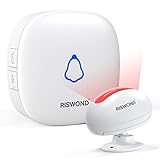
My guest bathroom light. It was supposed to be smart. Instead, it was a tiny, blinking nemesis. Every time I tiptoed in for a midnight glass of water, it’d blast on, a miniature sunbeam searing my retinas. Turned out, its sensitivity was cranked to eleven, mistaking a dust mote for a grizzly bear.
Honestly, dealing with these things is often more hassle than they’re worth. You buy them thinking they’ll be convenient, but then you spend half an hour trying to figure out how to turn off indoor motion sensor lights without resorting to brute force.
Most of the advice out there is about *setting them up*, not *shutting them down*. It’s like buying a car and only getting instructions on how to start the engine, never how to park it.
Figuring Out the Off Switch: It’s Not Always Obvious
So, you’ve had enough. The light blinks on when you’re trying to watch a movie, or worse, it flickers incessantly, making you question your sanity. The first thing you need to understand is that not all motion sensor lights are created equal. Some are incredibly simple, designed with a single purpose. Others are part of a larger smart home system, which adds layers of complexity. My first encounter, the bathroom light I mentioned? It had a tiny dial, almost invisible, tucked away on the side. I spent four days before I saw it. Four days of blinding flashes.
When you’re hunting for the off switch, look at the fixture itself. Often, there’s a small button or a switch. Sometimes it’s a slider. You might need a flashlight to spot it, especially if it’s in a corner or recessed. Don’t be afraid to get a stepladder and get up close. The plastic casing can hide these controls surprisingly well.
Another thing: some fixtures have a ‘test’ mode or a ‘manual override’ setting that looks a lot like an off switch. This is where you have to be careful. You might flip what you think is an off switch, only to find the light stays on constantly. That’s not really ‘off,’ is it? It’s just ‘on all the time.’ I learned this the hard way when I wanted the light off for a party, and it just kept blaring. I ended up having to cover the sensor with a piece of tape, which looked utterly ridiculous.
When the Fixture Itself Is a Black Box
Okay, so you’ve inspected the fixture with a magnifying glass and still found nothing. What now? This is where things get a bit more involved, and frankly, annoying. Many modern lights, especially those integrated into ceiling fans or whole-room lighting systems, don’t have a simple manual switch on the unit. They expect you to control them through an app or a remote. If you’ve lost the remote, or the app is glitching (which, let’s be honest, happens more often than companies like to admit), you’re in a bit of a pickle. (See Also: What Is The Difference Between Occupancy Sensor And Motion Sensor )
This is where I’d tell you to check the manufacturer’s website. They *should* have a manual. If you can find the model number – usually on the back or underneath the fixture – that’s your golden ticket. Search for the PDF. Read it. I know, I know, nobody *wants* to read a manual. But trust me, it’s usually faster than trial and error. I spent around $180 on a ceiling fan with an integrated light system, only to realize the remote was crucial for disabling the motion sensor. Took me an hour to find the PDF online.
For smart home systems, like Philips Hue or Lutron, the process is entirely digital. You’d go into the app, find the specific light or fixture, and there will be an option to disable motion detection or set it to a manual ‘on’ state. Sometimes, you can even set schedules. For example, you can tell it *not* to turn on between 11 PM and 7 AM. This is the ideal scenario, of course. When it works. If your Wi-Fi is spotty, or the company decides to sunset an old app, you might find yourself back at square one.
Can You Just Disconnect the Sensor?
In some older, simpler models, the sensor might be a separate component that plugs into the main light housing. If you’re comfortable with basic wiring and safety precautions (always turn off the power at the breaker first – I cannot stress this enough), you might be able to disconnect just the sensor wire. This is NOT recommended for integrated LED units or anything connected to mains power without understanding what you’re doing. You could easily damage the fixture or, worse, create a fire hazard. I’d only consider this if you’ve got a very basic fixture and you’re feeling brave, and even then, I’d probably just replace the whole thing.
When ‘turning Off’ Means ‘making It Manual’
This is a big one, and it’s where a lot of confusion happens. Many people ask how to turn off indoor motion sensor lights because they just want the light to stay on, like a normal light. They don’t want it to turn off after a few minutes, and they certainly don’t want it triggered by every little movement. For these folks, it’s not about disabling the sensor entirely; it’s about putting the light into manual mode.
How you do this varies wildly. Some lights have a physical switch on the fixture. Flipping it one way might be auto/motion, and flipping it another might be manual on. Others rely on a sequence of power cycling. You turn the light on, then off, then on again within a few seconds. Do it enough times, and it might switch modes. It sounds bonkers, right? But I’ve seen it work on cheap hallway lights. It feels like a secret handshake. You might have to do it three or four times. The light might flicker to confirm the mode change. It’s like the fixture is saying, ‘Alright, fine, you want it on? It’s on. Don’t blame me if your electric bill skyrockets.’
For smart lights, this is typically a setting within the app. You’d simply select ‘Manual On’ or ‘Always On’ for that particular fixture, overriding any motion-sensing capabilities. It’s a much cleaner solution, assuming your smart home ecosystem is cooperating. I’ve found that the fewer ‘smart’ features a light has, the more likely it is to have a straightforward manual override. The fancy ones with a million settings often hide the simplest functions behind layers of menus. (See Also: How Do I Pair Wyze Bulb With Motion Sensor )
The ‘cover It Up’ Method (a Last Resort)
If all else fails, and you absolutely need the light to *not* turn on via motion, but you can’t find a way to disable the sensor or switch to manual mode, there’s always the brute-force, aesthetically questionable method: covering the sensor. This is what I had to do in that guest bathroom for a while. I took a small piece of electrical tape and carefully covered the little round sensor eye. It looked like the light had a tiny, black Band-Aid on it.
This is a temporary fix, and it’s not ideal. The sensor might still detect movement if it’s very sensitive or if the tape isn’t perfectly opaque. Plus, it looks… well, DIY. You’re essentially blinding the light. It’s the equivalent of putting your fingers in your ears and shouting ‘la la la’ to ignore a problem. It works in a pinch, but it’s not a sustainable solution. You’re better off eventually replacing the fixture or figuring out its intended off mechanism.
My Experience: The ‘smart Bulb’ That Wasn’t
Years ago, I bought what I thought was a brilliant smart bulb. It promised motion sensing, dimming, color changes – the works. I installed it in my closet, envisioning a perfectly lit space that only lit up when I opened the door. Sounds great, right? Wrong. The motion sensor was so sensitive, it would trigger if I so much as breathed too hard while standing outside the closet. Then, it would randomly turn off *while* I was in there, plunging me into darkness mid-outfit-change. It was infuriating. I spent about $50 on that bulb, and another $20 on a replacement dimmer switch when I thought *that* was the problem. Turns out, the bulb itself was just poorly engineered. There was no app, no manual override, just a fickle, overzealous sensor. I eventually just unscrewed the bulb and used a regular, dumb one with a pull chain. Sometimes, simple is better.
When to Just Call an Electrician
Let’s be honest. If you’ve tried everything – fiddled with dials, read manuals, searched forums, and even considered covering the sensor with aluminum foil (don’t do that) – and you’re still stuck with an overactive light, it might be time to swallow your pride and call a professional. For around $100-$150, an electrician can not only figure out how to turn off indoor motion sensor lights for you, but they can also offer solutions for replacing it with something more sensible, or rewire it properly if it’s part of a larger system.
This is especially true if the fixture is hardwired into your ceiling or wall. Messing with live wires when you don’t know what you’re doing is a recipe for disaster. I’ve heard stories from friends about shocking themselves, shorting out their whole house circuit, or worse. The Consumer Product Safety Commission (CPSC) actually has guidelines about safe home electrical practices, and they always recommend professional help for complex wiring issues. So, if it feels beyond your comfort zone, get an expert involved. It’s cheaper than a hospital visit or a house fire.
A Quick Comparison: Sensor Types and Control Methods
| Sensor Type | Typical Control Method | Ease of Turning Off | My Verdict |
|---|---|---|---|
| Passive Infrared (PIR) | Physical dial/switch on fixture, sometimes wired into a wall switch | Generally Easy (if switch is accessible) | Reliable, but can be sensitive to heat. Needs direct line of sight. |
| Microwave/Radar | Often integrated into fixture, controlled via app or remote | Moderate to Difficult (requires app/remote) | Can detect through walls, which is cool but also a pain if you want control. Prone to false triggers from doors closing. |
| Dual Technology | App/remote control, sometimes a physical dip switch setting | Difficult (highly integrated) | Best of both worlds for sensitivity, worst for manual disabling without tech. |
| Integrated Smart Lights | Proprietary App (e.g., Hue, Kasa) | Easy (via app) to Moderate (if app fails or Wi-Fi is down) | Convenient when it works, but dependent on ecosystem and internet. Overkill for just wanting a light to stay on. |
Can I Disable the Motion Sensor on My Light Permanently?
Yes, in many cases. This could involve finding a physical switch on the fixture, using an app to set it to manual mode, or in rare, older cases, physically disconnecting the sensor if you have the technical know-how and turn off power first. Always prioritize safety and consult a professional if you’re unsure. (See Also: How Ti Turb Off Motion Sensor Bmw X5 )
Why Does My Motion Sensor Light Keep Turning on and Off?
This usually means the sensor is too sensitive, picking up minor movements like air currents from vents, pets, or even heat fluctuations. Alternatively, it could be a sign of a faulty sensor or a failing light fixture. You might need to adjust the sensitivity settings, reposition the light, or replace the unit.
What’s the Difference Between Motion Sensor and Occupancy Sensor Lights?
Motion sensors detect movement. Occupancy sensors (often called vacancy sensors) detect the presence of a person. Occupancy sensors are generally more sophisticated and less prone to false triggers because they can detect subtle movements like breathing. They are often used in more critical areas where you want to ensure lights stay on when someone is present.
How Do I Stop My Outdoor Motion Sensor Light From Coming on at Night?
Many outdoor motion sensor lights have a ‘dusk-to-dawn’ setting or a photocell that prevents them from activating when it’s dark. If yours doesn’t, or if it’s still problematic, you might need to adjust its sensitivity, aim the sensor away from roads or trees that might sway, or consider a fixture with a more advanced control system.
Final Thoughts
Figuring out how to turn off indoor motion sensor lights often feels like solving a miniature puzzle designed by someone who really hates you. My advice? Start simple. Look for the obvious dial or switch. If that fails, dig into the manual or manufacturer’s website. For smart lights, the app is your best friend, assuming it’s working.
If you’re dealing with a fixture that’s just plain stubborn, or if you’ve tried the tape-over-the-eye trick one too many times and it’s starting to look embarrassing, don’t waste more than a weekend on it. Call an electrician. Seriously. It’s better than the alternative.
Ultimately, you want your lights to work for you, not the other way around. If a motion sensor is causing more aggravation than convenience, it’s time to reassess its role in your home.
Recommended Products