I remember the first time I saw someone effortlessly slice through balsa wood with a Cricut. Looked like magic, right? Then I got one, full of dreams of custom wooden signs and intricate boxes. Then came the inevitable question, the one that haunts every ambitious crafter with a shiny new machine: can a Cricut cut 1/4 plywood? I’ll tell you right now, the answer isn’t a simple yes or no, and anyone who tells you otherwise is probably trying to sell you something or hasn’t actually tried it themselves.
My own journey involved a lot of staring at burnt edges and splintered wood, wondering if I’d just wasted a considerable chunk of change. It turns out, there are ways to make it work, but they involve more than just shoving a piece of wood into the machine and hitting ‘Go’.
The Blunt Truth: Can a Cricut Cut 1/4 Plywood? It Depends.
Let’s get this out of the way: your standard Cricut Maker or Explore machine, with its regular blade, is NOT designed to cut 1/4 inch plywood. Not even close. The blades are meant for paper, vinyl, cardstock, fabric, and maybe some very thin woods like basswood. Trying to force it through 1/4 inch plywood is like trying to chop steak with a butter knife – you’re going to end up frustrated and with a dull blade. I learned this the hard way, buying a fancy knife blade thinking it was a magic bullet, only to discover it was just the start of the process, not the whole solution.
The real question isn’t if the machine can cut it, but if it can cut it effectively and reliably without destroying itself or the material. For 1/4 inch plywood, you’re looking at a few key considerations: the type of plywood, the blade you use, the machine’s capabilities, and your patience. Most people asking this question are probably eyeing up those adorable little wooden signs you see everywhere or thinking about making custom gift boxes. And yes, it’s technically possible, but it’s not the plug-and-play experience you might get with vinyl.
The biggest hurdle is the thickness and density of the wood. Plywood, even thin birch plywood, is tough.
It has layers of wood glued together, and those glue lines can be a nightmare for a cutting blade. The grain can also be inconsistent. If you’re expecting crisp, clean cuts like you get with paper, you’re going to be disappointed.
It’s more of a scoring and cutting process, and even then, it requires multiple passes and a lot of finesse. My first attempt at a simple circle ended up looking more like a wonky blob with frayed edges. I learned that ‘cutting’ plywood with a Cricut is a relative term. It’s more about persuading the wood to give way under the blade. (See Also: Am Timber Plywood Sholinganallur )
What You Actually Need: Beyond the Standard Blade
So, if the regular blade is a no-go, what do you need? For a Cricut Maker (and I stress the Maker, not the Explore series, as it has the Adaptive Tool System), you’re going to need the Knife Blade. This blade is specifically designed for thicker materials. It’s longer and stronger than the Fine-Point Blade. However, even with the Knife Blade, cutting 1/4 inch plywood isn’t a simple one-click operation. You can’t just select ‘1/4 inch plywood’ from the material settings and expect perfection.
The material settings for wood on Cricut’s Design Space are generally for much thinner wood, like balsa. For 1/4 inch plywood, you’ll need to experiment. A common approach is to use the Knife Blade and set it to a very thick material, often with multiple passes. I’ve seen people set it to materials like chipboard or even leather, increasing the pressure and number of passes significantly. This is where the ‘it depends’ really comes into play. The exact settings will vary based on the specific type of plywood you’re using (birch is generally better than pine), the age and sharpness of your Knife Blade, and even the humidity in your room.
Beyond the blade, you need a strong cutting mat. The standard grip mat might work for smaller pieces, but for larger projects, you’ll want the StrongGrip mat. It’s key to keep the wood from shifting during the multiple passes, which can ruin your cut. I learned this when my plywood shifted mid-cut, leaving a jagged, unusable line. The cost of the Knife Blade itself is also something to consider; it’s not cheap, usually around $20-$30, and they don’t last forever, especially when you’re pushing them. So, factor that into your budget if you’re planning on doing a lot of wood cutting.
The ‘how-To’ (if You’re Feeling Brave): A Step-by-Step
Alright, if you’ve read this far and you’re still determined to try cutting 1/4 inch plywood with your Cricut Maker and Knife Blade, here’s the general process. Fair warning: this requires patience and a willingness to accept that not every attempt will be perfect.
- Prepare Your Design: Keep it simple. Intricate details are going to be a challenge. Simple shapes, outlines, and basic text are your best bet. Make sure your design is set to ‘cut’ and not ‘score’.
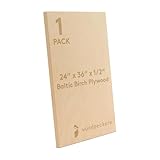
- Choose Your Plywood: High-quality Baltic Birch plywood is your best friend here. It’s denser and has fewer voids than standard pine plywood. Make sure it’s as flat as possible.
- Secure the Plywood: Place your plywood onto a brand-new StrongGrip mat. You might even want to add a bit of extra tape around the edges to make sure it doesn’t lift at all during the process. Seriously, tape it down like you’re trying to win a prize for the most secure material.
- Load the Knife Blade: Make sure the Knife Blade housing is correctly attached and the blade is properly seated.
- Set Up in Design Space: This is where the experimentation happens. You’ll likely need to go to ‘Browse All Materials’ and find something like ‘Chipboard’ or ‘Heavy Leather’. You’ll need to manually adjust the pressure to ‘More’ or ‘Maximum’ and set the ‘Multi-cut’ or ‘Passes’ to a high number (often 10-20 passes). Some people even create custom material settings.
- Send to Cut: Double-check everything on your screen. Hit ‘Go’ and brace yourself. This is going to take a while. Don’t be tempted to lift the mat to check progress – just let it do its thing.
- Check and Repeat (If Necessary): Once it’s finished, carefully lift the mat. If it hasn’t cut through, you can re-run the cut. Sometimes, you can increase the number of passes or pressure slightly, but be careful not to overheat the motor. If it’s still not cutting, you might need to score it manually with a craft knife before attempting another cut pass.
This process is tedious. It’s loud. And it can be messy. But it is the only way I’ve found that has a prayer of working for 1/4 inch plywood with a Cricut Maker.
Common Mistakes and Why Your Cricut Isn’t Cutting It
I’ve made my fair share of blunders trying to cut thicker materials, and I bet you will too. The most common mistake? Expecting the impossible with the wrong tools. Using the Fine-Point Blade on plywood is just a recipe for disaster. It’s too weak, and you’ll end up with a dull, possibly damaged blade and a barely scratched piece of wood. (See Also: Are Custom Cabinets Made Of Plywood )
Another big one is not securing the material properly. Wood can warp, especially if it’s not perfectly flat. If it lifts even slightly during a multi-pass cut, the blade will miss its mark, and your cut will be ruined. I’ve also seen people try to rush the process, reducing the number of passes or the pressure, only to find they’ve just scored the wood or made a shallow groove. Patience is key here. Think of it as a marathon, not a sprint.
People also underestimate the variability in plywood. Not all 1/4 inch plywood is created equal. The quality of the glue, the type of wood veneer, and even how it was stored can affect how easily it cuts. A cheap piece of pine plywood might be much harder to cut cleanly than a premium Baltic Birch. If you’re struggling, try a different brand or type of plywood. I once spent a whole afternoon fighting with a piece of plywood that was just exceptionally stubborn, only to switch to a different brand and have it cut almost perfectly with the same settings.
Finally, there’s blade maintenance. The Knife Blade, while solid, isn’t invincible. If you’re using it on tough materials like plywood, it’s going to dull faster. A dull blade means more passes, more pressure, and more frustration. Keep an eye on the quality of your cuts. If they start to degrade, it’s probably time to consider a replacement blade. I learned this the hard way when I kept trying to force a dull blade to cut, just making things worse.
My Verdict: Is It Worth the Hassle for 1/4 Plywood?
Here’s my brutally honest opinion: If your primary goal is to cut 1/4 inch plywood regularly and with precision, a Cricut Maker with a Knife Blade is probably not your best option. It can do it, yes, but it’s a slow, demanding, and often imperfect process. For small, simple projects where you have a lot of time and patience, it might suffice. But if you’re looking for efficiency and clean, repeatable results for anything beyond a hobbyist project, you’re better off investing in a dedicated laser cutter or a small CNC machine. Those tools are built for this kind of material.
I’ve personally found that for anything more than a few small decorative pieces, the time, effort, and cost of replacement blades and mats add up. I ended up spending about $100 on Knife Blades and StrongGrip mats trying to perfect a set of small wooden coasters, only to find that a local maker space with a laser cutter could do it in minutes, perfectly. It was a tough pill to swallow, but it saved me a lot of future headaches.
However, if you already have a Cricut Maker and you’re just looking to dabble in wood for occasional small projects – think small tags, intricate wooden embellishments for crafts, or delicate wooden jewelry – then yes, it’s worth exploring. You just need to manage your expectations. It’s a tool that can be coaxed into cutting plywood, rather than a tool that’s designed to do it effortlessly. You’re basically pushing the limits of the machine. It’s more about a clever workaround than a standard feature. The satisfaction comes from learning the workaround, not from a smooth cut. (See Also: Are Mdf Cabinets Plywood )
Comparison: Cricut Maker vs. Other Tools for Plywood
| Tool | Pros | Cons | Verdict for 1/4″ Plywood |
|---|---|---|---|
| Cricut Maker + Knife Blade | Accessible for existing Cricut users, capable of intricate cuts (with limitations). | Slow, requires multiple passes, inconsistent results, potential for material waste, blades/mats are consumables. | Possible for small, simple projects with high patience and expectation management. Not efficient or precise for bulk or complex work. |
| Scroll Saw | Excellent for detailed cuts, good control over material. | Requires manual tracing of designs, can be physically demanding, not automated. | Good for freehand or traced detailed cuts, but not for precise digital designs or mass production. |
| Laser Cutter | Extremely precise, fast, clean cuts, can engrave as well. | High upfront cost, requires ventilation, potential fire hazard if not supervised, limited by bed size. | Ideal for perfectly repeatable, intricate 1/4″ plywood cuts and engraving. The professional solution. |
| Small CNC Machine | Automated, precise, capable of complex shapes and 3D carving. | Higher cost than Cricut, learning curve for software, requires dust collection. | Excellent for precise digital cuts and can even do milling/carving. A strong contender for serious woodworking. |
Can a Cricut Maker 3 Cut 1/4 Inch Plywood?
The Cricut Maker 3, like its predecessor, can technically cut 1/4 inch plywood, but it requires the Knife Blade and a lot of specific setup. The Maker 3 uses the same Adaptive Tool System, so the Knife Blade is compatible. However, the same limitations regarding speed, multiple passes, and material consistency still apply. You’ll be using similar multi-pass settings as with the original Maker, so don’t expect it to be significantly easier or faster just because it’s a newer model.
What Is the Thickest Material a Cricut Can Cut?
The official Cricut material list for the Maker includes materials up to 2.4mm (about 0.09 inches) for the Fine-Point Blade (like thick cardstock or faux leather) and up to 3.0mm for the Knife Blade (like chipboard or balsa wood). However, experienced users often push these limits. For 1/4 inch plywood, which is roughly 6.35mm, you are well beyond what Cricut officially supports. This is why it requires a highly modified process with multiple passes and increased pressure, basically forcing the machine to cut through a material it wasn’t designed for in a single go.
Can a Cricut Cut Wood Without a Knife Blade?
No, a Cricut cannot cut 1/4 inch plywood without a Knife Blade. The standard Fine-Point Blade is designed for much thinner and softer materials like paper, vinyl, and cardstock. It lacks the strength and length to penetrate wood of that thickness. You might be able to score very thin wood veneer with the Fine-Point Blade, but for actual cutting of anything substantial, the Knife Blade is a a must accessory for the Cricut Maker series.
Conclusion
So, can a cricut cut 1/4 plywood? The short, honest answer is: yes, but with significant caveats. It’s not a simple process and definitely not for the faint of heart or those who need perfect results every time without effort. You’ll need the Knife Blade, a strong grip mat, a lot of patience, and a willingness to experiment with settings.
For small, decorative projects where you’re not in a rush, it can be a rewarding challenge to get it to work. But if you’re planning on making multiple wooden items or need precise, repeatable cuts, you might find yourself looking at other tools like a scroll saw, laser cutter, or CNC machine down the line. It’s a workaround, not a primary function.
If you’re going to try it, manage your expectations, start with a good quality birch plywood, and be prepared for a potentially lengthy cutting session. And if it doesn’t work on the first try, don’t beat yourself up – we’ve all been there.