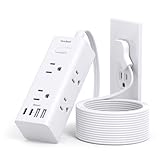
I remember the first time I bought a fancy ‘power strip’. It looked like it could handle anything, with a dozen outlets and a shiny red switch. I plugged in my gaming PC, my monitor, my speakers, and a desk lamp. A week later, a massive thunderstorm rolled through. I thought, ‘No worries, I’ve got this power strip!’ Turns out, I was dead wrong. That storm fried half my gear. It turns out, asking if are surge protectors the same as extension cords is a question that can cost you dearly.
Most people just grab whatever power-providing gizmo they see at the store. They look similar, right? Black plastic box, a cord, some holes to plug stuff into. But trust me, there’s a universe of difference, and the price tag usually tells a story if you know how to read it.
This isn’t about keeping up with the Joneses or buying the most expensive thing. It’s about understanding what you’re actually plugging your precious electronics into. Because when lightning strikes (literally or figuratively), you’ll wish you knew the difference.
What’s the Actual Difference? It’s Not Just the Price Tag
Look, let’s get this straight from the jump: are surge protectors the same as extension cords? Absolutely not. It’s like asking if a bulletproof vest is the same as a t-shirt. Both cover your torso, but their purpose and protection are worlds apart. An extension cord is basically a fancy, usually longer, wire. Its sole job is to extend the reach of your wall outlet. Plug it in, plug your device in, and voilà – power, wherever you need it. No more crawling behind the couch to plug in the vacuum or awkwardly placing your desk lamp just out of reach.
A surge protector, on the other hand, is designed to do that and offer protection against power surges. What’s a power surge? Think of it as a sudden, massive spike in voltage. This can happen from lightning strikes, downed power lines, or even internal power grid switching. These spikes are like a tidal wave of electricity hitting your devices, and without protection, they can fry delicate internal components, rendering your expensive gadgets useless. I learned this the hard way with that gaming PC I mentioned. I thought my fancy power strip was doing something, but it was just a glorified extension cord with a fancy switch.
The key difference lies in a component called a Metal Oxide Varistor, or MOV. Think of MOVs as tiny, silent guardians. Under normal voltage, they do nothing. But when voltage spikes above a safe level, they instantly absorb that excess energy and divert it to the ground wire. This sacrificial act protects your connected equipment. Most basic extension cords have ZERO MOVs. They are just wires. Some power strips might look like surge protectors because they have multiple outlets, but unless they explicitly state they offer surge protection and list an ‘energy absorption’ or ‘joule rating,’ they’re likely just fancy extension cords.
Here’s a little anecdote. A few years back, my neighbor’s house got hit by lightning. Not directly, but close enough that the surge traveled through the power lines. His TV, his sound system, even his fridge – all toast. My house, thankfully, had a decent surge protector on the entertainment center. The TV flickered for a second, but it survived. That $40 surge protector saved me thousands in replacement costs. It’s a gamble I’m never willing to take again. The common advice to just buy a power strip if you need more outlets is frankly dangerous for anything you care about.
What to Actually Look for (beyond the Shiny Plastic)
So, you’ve decided you need actual protection, not just more holes to plug things into. What should you be looking for when you’re standing in the aisle, staring at a wall of black plastic? First off, the term ‘surge protector’ is your friend. If it doesn’t say ‘surge protector’ or ‘surge suppressor’ clearly on the packaging, it’s probably not. Don’t be fooled by a neat row of outlets or a power switch. Those are standard features on almost anything that plugs into the wall and gives you more than one socket.
The next big thing is the joule rating. This is probably the most important spec on a surge protector. It tells you how much energy the surge protector can absorb before it fails.
A higher joule rating means more protection and a longer lifespan for the protector itself. Think of it like a sponge absorbing spills; a bigger sponge can handle more before it’s saturated. For basic electronics like lamps and clocks, a lower joule rating (say, 100-300 joules) might be sufficient.
But for your computer, TV, gaming consoles, or anything with a sensitive motherboard, you want to aim much higher. I’d personally never go below 1000 joules for my main electronics setup.
My home office rig, which has a decent amount of gear, is plugged into a unit with over 2500 joules. It cost me about $60, which felt steep at the time, but it’s a tiny fraction of the cost of replacing a high-end PC. (See Also: Can Extension Cords Short Out )
Another key spec is the clamping voltage. This is the voltage at which the surge protector starts to divert excess electricity. Lower is better. You’ll often see it listed as UL 1449. For example, a clamping voltage of 400V means the protector kicks in when the voltage exceeds 400 volts. Ideally, you want this to be as low as possible, below the typical breakdown voltage of your devices. The UL certification itself is also important. Look for the UL 1449 standard, which specifically deals with surge protective devices. It’s a sign that the product has been tested for safety and performance.
Consider the number of outlets, but don’t let it be the deciding factor. More outlets are convenient, but a surge protector packed with too many devices can sometimes become a hazard itself if it overheats. Also, check the response time. This is how quickly the MOV kicks in when a surge hits. You want this to be as close to zero as possible, measured in nanoseconds. Most decent surge protectors will have a response time of 1 nanosecond or less.
Finally, look at any additional features like indicator lights. Most good surge protectors will have lights that tell you if the protection circuitry is active and if the unit is grounded. If that protection light goes out, it’s a clear sign the MOVs have done their job too many times and you’re no longer protected. Time for a new one. I once had a surge protector where the light just… faded. I ignored it for a week. Big mistake.
| Feature | Extension Cord | Surge Protector | My Verdict |
|---|---|---|---|
| Primary Function | Extends reach of power outlet | Extends reach AND protects against surges | Protection is key for valuable electronics |
| Surge Protection Component (MOV) | No | Yes | The defining feature; key for sensitive gear |
| Joule Rating | N/A | Key indicator of protection capacity (higher is better) | Aim for 1000+ joules for computers/TVs |
| Clamping Voltage | N/A | Voltage at which protection kicks in (lower is better) | Look for low values (e.g., < 400V) |
| Cost | Low ($5 – $20) | Medium to High ($20 – $100+) | Worth the investment for peace of mind and safety |
Common Mistakes That Fry Your Stuff
People make so many dumb mistakes when it comes to power protection. The biggest one, obviously, is thinking an extension cord is a surge protector. I’ve seen people plug their brand-new, $1500 gaming PC into a cheap, flimsy extension cord, convinced they’re good to go. It’s mind-boggling. That’s like leaving your car keys in the ignition with the doors opened. You’re just asking for trouble.
Another common error is overloading the surge protector. Just because a surge protector has 12 outlets doesn’t mean you should plug in 12 power-hungry devices. Every surge protector has a maximum power capacity (often listed in watts or amps). Exceeding this can cause the unit to overheat, melt, or even catch fire. It also reduces its effectiveness. It’s like trying to drink a gallon of water through a tiny straw – it’s not going to work well, and something’s bound to break.
Then there’s the issue of ‘degraded’ surge protectors. Remember those indicator lights I mentioned? Many people ignore them. If the surge protection light on your unit is off, it means the MOVs have absorbed so many surges that they’re worn out.
The device is now just a glorified extension cord, but you think it’s protecting you. I’ve replaced surge protectors where the protection light had been off for years. That’s a ticking time bomb. I learned this lesson when a cheap one I had, with the light off, didn’t protect my toaster oven during a minor brownout.
It sparked and died. Annoying, but thankfully not catastrophic. The toaster oven was maybe $50, but it showed me how easily these things fail without you realizing it.
People also forget about the lifespan of surge protectors. MOVs degrade over time with each surge they absorb. Most manufacturers recommend replacing a surge protector every 3-5 years, even if the protection light is still on. They’re not meant to last forever. Think of them as having a finite number of ‘lives’ to absorb surges. Once they’ve used them up, they’re done. I’ve seen people using surge protectors that are a decade old. That’s just asking for a disaster. It’s a relatively small expense to replace them every few years, especially compared to the cost of damaged electronics.
Finally, and this is a big one for me, people buy the cheapest thing they can find. They’ll spend $10 on a power strip and then complain when their $500 tablet gets zapped. It’s a false economy. You’re not saving money; you’re just delaying the inevitable damage. If you’re plugging in anything remotely expensive or important, you need to invest in a quality surge protector. This doesn’t mean you need the $200 medical-grade unit, but certainly not the $10 strip either. Finding that sweet spot in the $30-$70 range usually gets you solid protection for most home and office needs.
Real-World Use: When and Where You Actually Need Them
So, where should you actually be plugging your gear into a surge protector? The short answer is: anywhere your electronics are valuable or sensitive. That means your home office is a prime candidate. Your computer, monitor, printer, external hard drives – these are all expensive and contain sensitive data. A power surge could wipe out your work or damage irreplaceable photos. I’ve got a good surge protector powering my entire workstation, and it was one of the best decisions I made for my home office setup. It’s a beast with 10 outlets, and it’s still going strong after three years. (See Also: Can Extension Cords Be Use With Electric Heaters )
Your entertainment center is another no-brainer. TVs, soundbars, gaming consoles, streaming devices – these are often high-end electronics that can be surprisingly vulnerable to surges. The cost of a good TV alone can be well over a grand. Protecting that with a $50 surge protector is a no-brainer. The same goes for your kitchen appliances if they’re more than just simple toasters or blenders. Think coffee makers with digital displays, smart refrigerators, or high-end stand mixers. Anything with a circuit board or digital components is a candidate for surge protection.
What about smaller, less important items? Do you need a surge protector for your bedside lamp or your phone charger? Honestly, probably not. For items where the replacement cost is minimal and the data loss isn’t a concern, a basic extension cord or a standard power strip without surge protection is usually fine. My bedside lamp is plugged into a simple extension cord I bought for maybe $8. It’s worked for years. The risk of a surge damaging that lamp enough to warrant a surge protector is pretty low, and the cost of replacement is minimal.
However, there’s a gray area. Sometimes, even simple devices can be damaged by a surge, and that damage can be amplified if they’re plugged into a chain of other devices. For example, if a surge comes through and damages a simple power strip, it could then send a lesser, but still damaging, surge down the line to whatever is plugged into it. It’s a bit of a cascade effect. So, while I might not surge protect my basic fan, I’m always cautious. If the item has any kind of digital control or display, I lean towards surge protection. It’s a personal call based on the value of the item and your tolerance for risk.
It’s also worth considering whole-house surge protection. These are installed at your electrical panel by a qualified electrician. They offer the highest level of protection, guarding against surges entering your home from the main power line. They’re more expensive upfront, often costing several hundred dollars plus installation, but they provide a blanket of protection for every outlet in your house. This is something I’ve been considering for my own home, especially after hearing so many stories of surges causing damage. It’s a significant investment, but for complete peace of mind, it’s hard to beat. For now, though, I’m focusing on beefing up protection for my most important areas with high-quality point-of-use surge protectors.
People Also Ask: Surge Protector vs. Extension Cord Myths Busted
Can I Use a Regular Extension Cord for My Computer?
Using a regular extension cord for your computer is a gamble you shouldn’t take. While it will provide power, it offers zero protection against power surges. A lightning strike miles away or a brief power fluctuation can send a jolt of electricity through your computer, frying its sensitive internal components and potentially destroying your data. Invest in a dedicated surge protector specifically designed for electronics to safeguard your valuable hardware.
Do All Power Strips Have Surge Protection?
No, absolutely not. This is a common misconception that leads many people to believe they are protected when they are not. Many power strips are simply glorified extension cords with multiple outlets. They provide convenience but no defense against electrical surges. Always check the packaging and the unit itself for explicit ‘surge protection’ or ‘surge suppressor’ labeling and look for a joule rating. If it’s not clearly stated, assume it’s just a power strip.
How Do I Know If My Surge Protector Is Still Working?
Most quality surge protectors have an indicator light, often labeled ‘Protected’ or ‘Surge Protection Active.’ If this light is on, your surge protector is likely functioning as intended. If the light is off, or if there’s a separate ‘Ground’ light that’s off, it’s a clear sign that the surge protection components are worn out or the unit is not properly grounded, and it needs to be replaced immediately. Don’t rely on them once that light is off.
What’s the Difference Between a Surge Protector and a Voltage Regulator?
A surge protector deals with sudden, brief spikes in voltage (surges), absorbing or diverting excess energy. A voltage regulator, on the other hand, is designed to maintain a consistent, steady voltage output, protecting against fluctuations or sags (brownouts) in power. While both offer protection, they address different types of power issues. Some advanced power conditioning units might combine both functions, but a standard surge protector does not regulate voltage.
Is It Safe to Plug Multiple Surge Protectors Into Each Other?
No, it is absolutely not safe to plug multiple surge protectors into each other (also known as ‘daisy-chaining’). This practice significantly degrades the surge protection capabilities of each unit and increases the risk of overheating and fire. Each surge protector has a specific capacity, and plugging them in series can overload them, rendering them ineffective or dangerous. Always plug surge protectors directly into a wall outlet.
Maintaining Your Protectors and What to Expect Over Time
You’ve bought a good surge protector, plugged in your precious electronics, and you’re feeling smug. Great!
But your job isn’t entirely done. You need to maintain these things, and understand they have a lifespan. First, remember what I said about those indicator lights. They are your best friend. (See Also: Are Outdoor Extension Cords 10 Or 12 Gauge )
Keep an eye on them. If the ‘protection’ light goes out, or if the ‘grounded’ light goes out, that unit is compromised. It’s basically just a multi-outlet power strip now, and you’re running blind.
I had a unit that started flickering its protection light. I ignored it for a couple of months, thinking it was just a loose connection. Then a minor storm hit, and my router died.
Lesson learned: if the light’s not solid green (or whatever color indicates protection), treat it as a basic extension cord and replace it.
Speaking of replacement, surge protectors aren’t immortal. The MOVs inside are sacrificial. Every time they absorb a surge, they degrade a little.
Most manufacturers suggest replacing them every 3 to 5 years, regardless of whether the protection light is on. Think of it like tires on a car; they wear out with use.
A surge protector might absorb hundreds of small surges over its lifetime that you never even notice. By year 5, those MOVs might be so worn that they can’t handle a significant surge. I try to mark the purchase date on the back of my surge protectors with a permanent marker. When that date rolls around, I just buy a new one.
It’s a small cost to avoid a massive headache and potential financial loss. I recently replaced a unit that was about 6 years old. While the light was still on, I figured it was on borrowed time. Better safe than sorry.
What else can you do? Keep them clean. Dust and debris can build up, especially if they’re tucked away behind a desk or entertainment center. This buildup can sometimes lead to overheating. A quick dusting with compressed air every few months won’t hurt. Also, don’t try to ‘test’ your surge protector by deliberately causing a surge or plugging in a faulty appliance. They are designed to absorb surges from the power grid, not from deliberate abuse. Stick to the manufacturer’s recommendations and treat them with respect.
Finally, understand that even the best surge protector isn’t foolproof against a direct, catastrophic lightning strike. If lightning hits your house directly, the amount of energy involved can be so immense that even the most solid surge protector might be overwhelmed. Whole-house surge protection offers the best defense against such extreme events, but for point-of-use protectors, they are designed to handle the more common, less direct surges and spikes that occur regularly on the power grid. So, while a good surge protector is a vital layer of defense, it’s not an invisibility cloak against all possible electrical dangers. It’s about significantly reducing your risk, not eliminating it entirely.
Conclusion
So, to circle back to the big question: are surge protectors the same as extension cords? No. Not even close. One is a lifeline for your electronics, the other is just a longer wire. I’ve seen too many people learn this the hard way, myself included.
Don’t be that person who shrugs it off until their brand-new TV is a paperweight. Take a few minutes, check the joule rating, look for that protection light, and for crying out loud, don’t plug a surge protector into another surge protector. Your gear will thank you, and your wallet will too.
Next time you’re at the store, pause before you grab the cheapest power-providing device. Think about what you’re plugging into it. Is it worth the risk? For me, the answer is almost always yes. Invest in a decent surge protector, and then maybe check those indicator lights once a month. It’s a small habit that can save you big problems down the line.