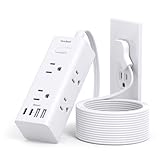
I remember the first time I fried a motherboard. It was a dark and stormy night, naturally. A massive power surge, courtesy of a lightning strike that sounded like it landed in my backyard, took out my beloved PC. All because I thought a cheap power strip was enough. It wasn’t. This is why understanding the difference, and the answer to ‘are surge protectors considered extension cords,’ matters more than you think. It’s not just about having more outlets; it’s about protecting your gear.
Most people just grab whatever has the most holes and call it a day. Big mistake. This isn’t just some corporate jargon; this is the difference between a humming workstation and a smoky paperweight.
Let’s cut through the noise and get real about what these devices actually do, and why they aren’t just fancy extension cords.
Surge Protectors vs. Extension Cords: What’s the Real Difference?
Okay, let’s get this straight from the jump. The big question: are surge protectors considered extension cords? The short, blunt answer is NO.
They look similar, sure. They both plug into the wall and give you more places to plug things in.
But that’s like saying a hammer is the same as a screwdriver because they both have handles. They perform fundamentally different jobs, and one offers protection the other doesn’t. An extension cord is basically a glorified wire. Its sole purpose is to extend the reach of your power outlet.
That’s it. It doesn’t do anything to the electricity flowing through it.
Plug in a sensitive piece of electronics, and if there’s a power spike, that spike goes straight to your device. Think of it like a garden hose – it just delivers the water pressure from the spigot. Doesn’t matter if the water pressure is too high; it just keeps flowing.
A surge protector, on the other hand, is designed to regulate that flow. It has internal components – usually Metal Oxide Varistors (MOVs) – that act like a pressure valve for electricity. When the voltage stays within a safe range (say, 110-120 volts in the US), it just lets the power pass through to your plugged-in devices. But if the voltage suddenly spikes – due to a lightning strike nearby, a transformer issue on the grid, or even a large appliance kicking on elsewhere in your house – those MOVs absorb the excess energy.
They divert that surge away from your precious electronics, typically by shunting it to the ground wire. This sacrificial act protects your gear from being zapped into oblivion. I learned this the hard way after a particularly nasty storm took out a brand-new TV and my internet router simultaneously. Both were plugged into what I thought was a decent power strip.
Turns out, it was just that – a strip, not a protector. It cost me about $1,200 in replacements.
Never again.
It’s the difference between having a welcome mat and a security guard. One might look nice, but the other actively prevents trouble from getting in. When you’re looking at these things, the packaging or the product description will usually make it clear. Look for terms like ‘surge protection,’ ‘joule rating,’ and ‘clamping voltage.’ If it just says ‘power strip’ or ‘extension cord,’ it’s probably just a glorified wire.
Joule Ratings and Clamping Voltage: The Numbers That Actually Matter
So, you’re convinced a surge protector isn’t just a fancy extension cord. Great. Now, what the heck do all those numbers and technical terms mean? This is where most people get lost, and manufacturers love to confuse you. Let’s break down the two most important specs: the joule rating and the clamping voltage. These are not just marketing fluff; they tell you how well a surge protector will actually protect your stuff.
First, the joule rating. This number tells you how much energy a surge protector can absorb before it fails. (See Also: Can Extension Cords Short Out )
Think of it like the capacity of a bucket. A higher joule rating means the surge protector can handle more energy from a surge. For everyday electronics like lamps and chargers, a lower rating might be fine, but for expensive or sensitive equipment like computers, gaming consoles, or home theater systems, you want something with a substantial joule rating. I’d say aim for at least 1000 joules for a decent desktop computer setup.
For a full home entertainment center, you might want 2000 joules or more. Remember, the surge protector is designed to sacrifice itself to save your gear. So, a higher joule rating means it can do that job more times or absorb bigger hits before it’s completely useless.
Once a surge protector has absorbed its maximum capacity of energy, its protective components (the MOVs) degrade or burn out. It might still pass power, but it won’t protect you from surges anymore. This is why you should replace surge protectors periodically, especially if you live in an area with frequent storms or grid instability.
Next, clamping voltage. This is the voltage level at which the surge protector starts to divert excess energy.
It’s the point where the ‘gate’ opens to let the surge pass to ground instead of through your devices. Lower is better here. Common clamping voltages might be listed as 330V, 400V, or 500V. A lower clamping voltage means the surge protector starts protecting your electronics sooner, at a lower voltage spike.
For example, a surge protector with a clamping voltage of 330V will start diverting power when the voltage hits 330V, while one with a 500V clamping voltage won’t kick in until 500V. Given that standard household voltage is around 120V, a spike to 330V is already pretty significant and can cause damage.
So, again, lower is generally better. You’ll often see these two specs listed together, like ‘1500 Joules, 400V Clamping Voltage.’
This gives you a much better idea of its protective capabilities than just looking at the number of outlets.
It’s also worth mentioning that surge protectors have a finite lifespan. The MOVs degrade over time with each surge they absorb. Some higher-end models have indicator lights that tell you when the surge protection circuitry has failed, meaning it’s now just a glorified power strip. Don’t ignore these lights!
Common Mistakes People Make (and How to Avoid Them)
Alright, I’ve seen people misuse these things in ways that make me want to tear my hair out. It’s not rocket science, but there are definitely pitfalls. The biggest mistake? Thinking that just because it’s labeled a ‘surge protector,’ it’s invincible, or that all surge protectors are created equal. That’s a recipe for disaster, as my fried motherboard saga proved.
Mistake 1: Buying the Cheapest Option. You see a 12-outlet surge protector for $15. It looks sturdy.
Big mistake. For that price, it’s likely got a very low joule rating and a high clamping voltage, or maybe it’s not a real surge protector at all, just a power strip with a fancy sticker. You get what you pay for.
I’ve seen cheap ones fail after a single moderate surge, leaving expensive equipment vulnerable. My personal rule is to avoid anything under $30-40 for a decent unit, and I’m willing to spend $70+ for high-end protection for my main workstation. It’s a small investment when you consider the cost of replacing a high-end PC or a flat-screen TV.
I once spent about $80 on a surge protector for my gaming rig, and a year later, a lightning strike that took out my neighbor’s modem and fried his upstairs TV left my PC completely unscathed. Worth every penny. (See Also: Can Extension Cords Be Use With Electric Heaters )
Mistake 2: Overloading the Outlets. Just because a surge protector has 8, 12, or even 20 outlets doesn’t mean you should plug in everything you own. Each surge protector has a maximum amperage rating. Exceeding this can cause the protector to overheat, melt, or even catch fire, regardless of surge protection capabilities.
You need to consider the total power draw of the devices plugged into it. For example, you shouldn’t plug high-draw items like space heaters, hair dryers, or power tools into a surge protector, especially if it’s already powering computers, monitors, and modems.
These are better suited for direct wall outlets or heavy-duty extension cords designed for high loads. Check the specifications on the surge protector; it will usually list its maximum power handling capacity in watts or amps.
Mistake 3: Using it for Too Long. As I mentioned, surge protectors have a lifespan, and it’s not indefinite. The MOVs degrade with every surge they absorb. Most manufacturers recommend replacing them every 3-5 years, or sooner if you live in a high-risk area for power surges or if an indicator light shows the protection has failed. It’s easy to forget about them tucked behind furniture, but they are a consumable safety device.
Think of them like smoke detector batteries – they need periodic checking and replacement. I have a little reminder in my phone calendar that pops up every four years to check and replace my main surge protectors.
It takes about 15 minutes and saves me potential headaches and heartache.
Mistake 4: Thinking a Power Strip is a Surge Protector. This is the most common one. People see the strips with multiple outlets and assume they offer protection. They don’t. A power strip is literally just an extension of a wall socket. It has no surge-absorbing components. So, if you’re plugging in anything valuable or sensitive – a computer, a TV, a router, even a good printer – make sure it’s plugged into a genuine surge protector. I’ve had friends insist their ‘power strip’ had surge protection, only for me to look at the back and see no mention of joules or clamping voltage. It’s a important distinction.
Here’s a quick rundown of what to look for versus what to avoid:
| Feature | Good to Have (Surge Protector) | Avoid (Basic Power Strip) |
|---|---|---|
| Joule Rating | 1000+ Joules for valuable electronics | N/A (typically 0 Joules) |
| Clamping Voltage | Lower (e.g., 330V-400V) is better | N/A (no clamping mechanism) |
| Indicator Lights | Yes (shows protection status) | No |
| EMI/RFI Filtering | Often included, helps with signal noise | No |
| Price | $30+ (varies by features) | $10-$20 |
| Primary Function | Protect against voltage spikes | Extend outlet reach |
When Do You Actually need a Surge Protector? (spoiler: More Often Than You Think)
It’s easy to think, “I don’t live in Florida, I don’t get lightning, so I’m fine.” That’s a dangerous assumption. Power surges aren’t just caused by lightning. In fact, internal surges within your own home are far more common and can be just as damaging over time. Think about it: every time your refrigerator compressor kicks on, or your air conditioner cycles, it causes a brief but significant fluctuation in your home’s electrical system. These are minor surges, but they happen constantly. Over months and years, these small spikes can degrade the sensitive components inside your electronics, leading to premature failure or erratic behavior. It’s like a slow drip wearing away a rock.
So, what counts as ‘valuable’ or ‘sensitive’ electronics? Pretty much anything with a microchip or complex circuitry. Your TV, your computer (desktop or laptop), your gaming console (PlayStation, Xbox, Nintendo Switch), your home theater receiver, your modem and router, even your smart home devices and some high-end kitchen appliances like stand mixers or fancy coffee makers. Basically, if it cost more than $100 and has a digital display or a motherboard, it’s a good candidate for surge protection. Anything that plugs into USB ports for charging (phones, tablets, portable batteries) can also benefit, as they often have delicate charging circuits.
Even things you might not consider ‘high-tech’ can be surprisingly vulnerable. I had a friend who lost a very expensive, high-end blender because of a surge. It just stopped working one day, and the repair shop said the main control board was fried. He’d never even considered surge protection for kitchen appliances. It’s a stark reminder that the ‘common advice’ that you only need surge protectors for computers isn’t always right. You need them for anything that would be a significant financial or functional loss if it suddenly died.
My contrarian opinion? Most people underestimate their need for surge protection.
They focus on the rare, catastrophic lightning strike, when in reality, the constant barrage of smaller, internal surges is what silently kills electronics over time. It’s the death by a thousand papercuts, electrically speaking. So, if you have a device that would make you groan audibly if it broke today, plug it into a surge protector. It’s a cheap insurance policy.
If it’s a simple lamp or a basic fan that you can replace for $20, a basic power strip is probably fine. But for anything more complex, invest in proper protection. This is why understanding are surge protectors considered extension cords is so vital – it’s about the protection, not just the extra plugs. (See Also: Are Outdoor Extension Cords 10 Or 12 Gauge )
What About Those ‘smart’ Surge Protectors?
You’ve probably seen them: surge protectors with USB ports, Wi-Fi connectivity, and apps that let you monitor power usage. They’re marketed as the next evolution in power management. So, are they worth the extra dough, or are they just another fancy gadget? My experience is… it depends. For basic protection against power surges, the core functionality of a surge protector hasn’t changed dramatically in years. The MOVs still do the heavy lifting. However, these ‘smart’ features can offer some genuine benefits, especially if you’re a bit of a tech enthusiast or want more granular control and insight into your home’s power consumption.
The USB ports are a nice perk. Instead of needing a separate wall adapter for your phone or tablet, you can plug them directly into the surge protector.
The charging speed can vary, though; some offer fast charging, while others are pretty slow. It’s convenient, but don’t expect them to replace a dedicated fast charger for your high-end smartphone or laptop. You’ll often find these on mid-range to higher-end models, typically with a joule rating that’s perfectly adequate for most home electronics. The ‘smart’ part usually comes in with Wi-Fi connectivity.
This allows you to control the outlets remotely via an app. You can turn individual outlets on or off, set schedules, and even monitor the power consumption of connected devices. This can be useful for turning off phantom power-draining devices when you’re away or for automating things like holiday lights.
I tried one of these smart surge protectors for my home office setup. The app integration was neat; I could turn off my monitor and printer remotely if I forgot.
The power monitoring showed me just how much juice my old desktop was guzzling even when ‘off’ (it was significant!). However, the actual surge protection itself was comparable to a good, non-smart surge protector in the same price bracket.
The added ‘smart’ features come with a price premium. If you’re on a tight budget, you’re better off spending that extra money on a surge protector with a higher joule rating or a lower clamping voltage rather than paying for Wi-Fi you might not use. If you’re someone who likes to tinker with smart home tech, track energy usage, or just wants the convenience of remote control, then a smart surge protector can be a worthwhile upgrade. Just remember that the fundamental job – protecting your gear from surges – is the priority, and the smart features are secondary.
The Faq: Your Burning Questions Answered
Do Surge Protectors Wear Out?
Yes, they absolutely do. The Metal Oxide Varistors (MOVs) inside a surge protector are sacrificial components. Each time they absorb a power surge, they degrade slightly. Over time, they can absorb so much energy that they burn out or fail. This means the surge protector will stop providing protection, even if it still supplies power. It’s recommended to replace surge protectors every 3-5 years, or sooner if an indicator light shows the protection has failed.
Can I Plug a Surge Protector Into Another Surge Protector?
No, you absolutely should not do this. Plugging a surge protector into another surge protector, or into an extension cord that is then plugged into a surge protector, is called ‘daisy-chaining.’ This practice is dangerous because it can overload the first surge protector, potentially causing a fire. It also significantly compromises the surge protection capabilities, rendering the second (and any subsequent) device ineffective against surges. Always plug surge protectors directly into a wall outlet.
What’s the Difference Between a Surge Protector and a Power Strip?
A power strip is basically an extension cord with multiple outlets; it simply provides more places to plug in devices. It offers no protection against power surges. A surge protector, on the other hand, contains components (like MOVs) that can absorb and divert excess electrical energy during a voltage spike, thereby protecting connected devices from damage. They look similar but perform very different functions.
How Many Joules Do I Need for a Computer?
For a typical desktop computer setup (including the tower, monitor, and peripherals like a modem and router), a surge protector with at least 1000 joules is generally recommended. For more expensive or high-performance gaming rigs, or if you have multiple sensitive devices in close proximity, consider models with 1500-2500 joules for added peace of mind and longer-lasting protection.
Can a Surge Protector Protect Against a Direct Lightning Strike?
No, a standard residential surge protector cannot protect against a direct lightning strike. Lightning strikes are incredibly powerful and can carry millions of volts. While a good surge protector can handle common household surges and even nearby strikes, a direct hit is usually too extreme for consumer-grade devices. For that level of protection, you would need professional whole-house surge protection systems installed by an electrician, and even then, complete immunity is not guaranteed.
Final Verdict
So, to circle back to our main question: are surge protectors considered extension cords? No, they are not. While they might share the superficial resemblance of having multiple outlets, their fundamental purpose and internal workings are worlds apart. An extension cord just extends power; a surge protector actively guards it.
Don’t be that person who thinks a cheap strip is good enough. I’ve been there, and the cost of learning the hard way is usually far greater than the small investment in proper protection. Think about what your devices are worth to you – not just in dollars, but in convenience and your ability to get work done or enjoy your entertainment.
Next time you’re at the store, or browsing online, actually look at the specs. Don’t just grab the one with the most slots. Check the joule rating, the clamping voltage, and for those important indicator lights. Your electronics will thank you, maybe not with a thank-you note, but certainly by continuing to function long after a lesser device would have succumbed to the electrical chaos of everyday life.