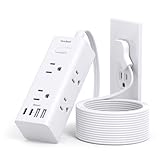
Look, we’ve all been there. You’re settled in, Surface Pro 2 humming along, ready to churn out that project, and the damn power cord barely reaches the outlet. Your first thought? Grab any old extension cord. But then a little voice, maybe the one that remembers that time you fried a perfectly good phone with a cheap charger, pipes up: are simple extension cords safe for Surface Pro 2?
I’ve spent more time than I care to admit wrestling with power adapters and the limitations of outlet placement. This isn’t just about convenience; it’s about not turning your expensive tablet into a very pretty, very expensive paperweight. Let’s cut through the noise and figure out what’s actually going to keep your Surface Pro 2 alive and kicking.
The Real Deal with Surface Pro 2 Power Needs
My Surface Pro 2, like most modern laptops, uses a specific power brick. It’s designed to deliver a certain voltage and amperage to charge the battery and power the device simultaneously. The real question isn’t about the extension cord itself as much as it is about the quality of that cord and how it interacts with the original Surface Pro charger. Think of the extension cord as just a bridge. It doesn’t change the power coming from the wall or going into your charger; it just extends the reach. However, a shoddy bridge can collapse.
I remember the first time I really considered this. I was working from a coffee shop with a single, inconveniently placed outlet.
I grabbed a generic, cheap-looking extension cord I’d had lying around for years – the kind you might use for a lamp. Plugged in my Surface Pro charger, and it worked. For about two hours. Then, the charger felt unusually warm.
Not just warm, but hot. I unplugged it immediately, heart pounding, and spent the next day researching. The common advice you’ll find is that any extension cord should be fine as long as it’s rated for the amperage your charger draws.
And for the most part, that’s true. But ‘should’ is a dangerous word when it comes to electronics.
The real issue is the quality of that ‘should’. Does the cord have decent copper wiring? Is the insulation thick enough? Are the connections solid?
These aren’t things you can usually tell just by looking at a dirt-cheap cord.
The Surface Pro 2 charger, specifically, is rated for about 42 watts. This isn’t a massive power draw, which is good news. It means you don’t need some industrial-grade heavy-duty monstrosity. However, even with a relatively low wattage device, a poor-quality extension cord can introduce resistance. This resistance causes heat. Heat is the enemy of electronics. It can degrade the charger’s components over time, leading to premature failure. Worse, in extreme cases, it can become a fire hazard. It’s not the voltage or amperage that’s the primary danger with extension cords and low-power devices; it’s the inefficiency and heat generated by poorly made cords or damaged ones.
My rule of thumb, born from that hot-charger incident, is simple: if the extension cord looks or feels cheap, or if you’ve had it for ages and have no idea where it came from, don’t risk it with your Surface Pro 2 or any other valuable electronics. Better to invest in a decent quality one specifically for this purpose than to gamble.
What to Look for in a Safe Extension Cord
So, you need to extend the reach of your Surface Pro 2 charger. What makes an extension cord ‘safe’ and not just ‘there’? It boils down to a few key factors, and frankly, some of this gets overlooked by people just grabbing whatever’s on sale.
First, check the gauge of the wire. This is often indicated by a number followed by AWG (American Wire Gauge). The lower the AWG number, the thicker the wire. Thicker wire means less resistance, less heat, and better efficiency. (See Also: Can Extension Cords Be Thriwn Away )
For a device like the Surface Pro 2, which draws around 42W, you don’t need the thickest possible wire, but you definitely don’t want the thinnest. A 16-gauge cord is generally a good bet for this kind of use.
It’s a solid middle-ground that handles moderate loads without excessive heat buildup. Avoid cords that don’t clearly state their gauge, or that are labeled with very high AWG numbers (like 18 or 20 AWG) if you can help it. Those are usually meant for low-draw items like lamps or clocks.
Second, look for UL, ETL, or CSA certification. These are third-party testing agencies that verify the product meets safety standards. It’s not a guarantee of perfection, but it’s a significant indicator that the cord has been tested for electrical safety, fire resistance, and structural integrity. If a cord doesn’t have one of these marks, I wouldn’t touch it for anything more than a temporary connection for something like a garden hose (and even then, maybe not). It’s like buying a helmet without a safety sticker – why take the chance?
Third, consider the cord’s construction and the plugs. Are the prongs on the plug bent or loose? Does the cord itself feel flimsy or have any nicks or cuts in the insulation? A cord that’s been kinked repeatedly or shows signs of wear and tear is a risk. The connectors should be snug, both at the wall outlet end and the receptacle end where you’ll plug in your Surface Pro charger. A loose connection is another source of resistance and heat.
Finally, buy from a reputable brand or retailer. While even big names can have duds, you’re generally going to have a better experience and a more reliable product than buying a no-name brand from a discount bin. I’ve learned to stick to brands I’ve used before or that have solid reviews specifically mentioning quality and durability for electronics.
Common Extension Cord Mistakes and How to Avoid Them
People make extension cord mistakes all the time, and often, they don’t even realize it until something goes wrong. My biggest pet peeve? Using the wrong cord for the job. It’s like trying to hammer a nail with a screwdriver – it might eventually work, but it’s inefficient and potentially damaging.
1. Overloading the Cord: This is the big one, and it’s less of an issue for a Surface Pro 2 charger specifically, but it’s a habit worth breaking. If you’re plugging in a power strip connected to an extension cord, and then plug in a space heater, a high-power laptop charger, and a monitor, you could easily exceed the cord’s rating. For the Surface Pro 2 charger (42W), this is unlikely, but people often daisy-chain things without thinking.
2. Using Damaged Cords: I’ve seen extension cords with frayed insulation, exposed wires, or cracked plastic. These are absolute no-gos. They are a fire hazard and can also cause power surges or inconsistent power delivery. If you see any damage, cut the cord up and throw it away. Seriously. It’s not worth the risk.
3. Inadequate Gauge for the Load: As I mentioned, using a thin (high AWG) cord for a device that needs more power. For the Surface Pro 2, this means avoiding the thinnest cords. A 16-gauge is a safe bet. Going too thin increases resistance and heat. My first hot-charger experience? I was using a 20-gauge cord, thinking ‘it’s just an extension cord’. Big mistake.
4. Indoor Cords Outdoors: This is a huge safety no-no. Extension cords designed for indoor use are not built to withstand outdoor conditions like moisture, temperature fluctuations, or UV exposure. Using one outside can lead to short circuits, electric shock, and fire. Always use a cord specifically rated for outdoor use if you need to run power outside.
5. Permanent Installation: Extension cords are meant for temporary use. Running them under carpets, through doorways where they can be pinched, or making them a permanent fixture is a fire hazard. They can get damaged without you knowing, and the insulation can degrade over time.
6. Relying on No-Name Brands: Buying the cheapest cord you can find from an unknown brand. While not all cheap cords are bad, those with no safety certifications and from obscure manufacturers are more likely to cut corners on materials and safety testing. I’ve learned to spend a few extra bucks for a UL-listed cord from a known brand for my electronics. (See Also: Can Extension Cords Short Out )
The key is to treat extension cords with respect. They’re not just inert plastic tubes; they’re carrying electricity, and mishandling them can have serious consequences. It’s about being mindful of the power requirements and the cord’s specifications.
My Surface Pro 2 and Extension Cord Real-World Use
I’ve had my Surface Pro 2 for a few years now, and it’s my go-to for everything from writing articles like this to sketching out ideas. The built-in battery life is decent, but when I’m deep in a work session, especially if I’m using it for more demanding tasks like light photo editing or running virtual machines for testing purposes, I need to keep it plugged in. Outlets are a constant battlefield.
One of my favorite spots to work used to be a small cafe with these gorgeous old wooden tables. The problem? The outlets were all along the far wall, and the tables were in the middle of the room.
The original Surface Pro power cord, while not ridiculously short, definitely wasn’t long enough to comfortably reach without awkward cable management. I tried a few things. First, I used a simple, basic extension cord I found in my garage.
It was probably 6-foot, white, and looked like it was made for a Christmas tree. It worked fine for a while, but I noticed the Surface charger brick got hotter than usual. Not alarming, but noticeably warmer.
I’d unplug it and let it cool down periodically, which was a hassle.
Then, on one particularly busy day, I plugged it in, and after about an hour, the charger just… died. It wouldn’t power on, and it smelled faintly of burnt plastic. I was lucky it didn’t take the outlet or anything else with it. That’s when I really started paying attention.
I went out and bought a specific, heavy-duty extension cord – a 10-foot, 16-gauge, UL-listed model from a reputable electronics brand. The difference was immediate. The charger brick stayed consistently, normally warm, never hot. I’ve been using that same cord with my Surface Pro 2, and now with my Surface Pro 4 and even my work laptop, and it’s been completely problem-free for over three years.
The cord itself feels solid; the plugs are solid, and it doesn’t heat up at all, even when running the charger for hours on end. This is why I’m so insistent on quality.
I also experimented with those short, retractable extension cords. They seem convenient, but I found the internal wiring and retraction mechanism could be a weak point. Plus, they often had lower gauge wiring. So, while the idea is nice, the execution for reliable power delivery for something like a Surface Pro 2 wasn’t there for me. A simple, good-quality, longer cord is far superior. It’s a small investment, but it buys peace of mind and protects your devices. The common advice that any cord will do is frankly dangerous.
A Few Practical Tips for Using Extension Cords Safely
Alright, you’ve got your Surface Pro 2, you need a bit more reach, and you’re now armed with the knowledge of what makes a decent extension cord. Here are some practical, no-nonsense tips to make sure you’re using them safely and effectively.
1. Read the Specs on Your Surface Pro Charger: Before you even buy an extension cord, look at your original Surface Pro 2 power adapter. It will tell you the input voltage and amperage requirements. While most standard wall outlets provide the same voltage, knowing your device’s draw helps make sure you’re not picking a cord that’s vastly under-spec’d (though for the Surface Pro 2, this is less of a concern as it’s not a high-draw device). The key is to match or exceed the cord’s rating for what your charger needs. (See Also: Can Extension Cords Be Use With Electric Heaters )
2. Choose the Right Length: Don’t buy a 50-foot cord if you only need an extra 3 feet. Longer cords, especially if they have thinner gauge wiring, can introduce more resistance and voltage drop. Get only as much length as you actually need. For my Surface Pro 2 setup, a 6-foot or 10-foot cord is usually perfect.
3. Keep it Tidy and Visible: Never run extension cords under rugs, carpets, or furniture. This is a massive fire hazard. Cords can overheat without you noticing, and they can be damaged by being crushed. Run them along walls or use cord covers that are designed to be safe and visible. If you’re running a cord across a walkway, use a cord protector to prevent tripping and damage.
4. Inspect Before and After Each Use: Make it a habit. Before you plug anything in, give the cord a quick visual check. Look for any cuts, nicks, kinks, or damage to the insulation or plugs. After you unplug your Surface Pro charger, give the extension cord itself a quick feel. If it’s unusually warm, something is wrong. Unplug it and investigate or discard it.
5. Consider a Surge Protector with Extension Capabilities: Instead of just a basic extension cord, you might consider a surge protector power strip that has a longer cord attached. This gives you the benefit of surge protection, which is always a good idea for electronics, along with the extended reach. Just make sure the surge protector itself is also properly rated and from a reputable brand.
6. Label Your Cords (Optional but Helpful): If you have multiple extension cords for different purposes, consider labeling them. A simple label indicating the AWG rating or the type of device it’s best suited for can prevent mix-ups. This is especially handy if you have both heavy-duty and lighter-duty cords.
7. When in Doubt, Throw It Out: This is the golden rule. If a cord feels questionable, looks damaged, or you have any nagging doubt about its safety or performance, don’t use it. The cost of a new, safe extension cord is negligible compared to the potential cost of repairing or replacing your Surface Pro 2, or worse, dealing with fire damage.
Faq: Are Simple Extension Cords Safe for Surface Pro 2?
Can I Use Any Extension Cord with My Surface Pro 2 Charger?
No, not any extension cord. While the Surface Pro 2 doesn’t draw a massive amount of power, you should avoid extremely cheap, uncertified, or damaged extension cords. Opt for cords that are at least 16-gauge, UL-listed, and in good condition to prevent overheating and make sure safe power delivery.
Will a Basic Extension Cord Damage My Surface Pro 2?
A basic, low-quality extension cord won’t directly damage your Surface Pro 2 itself, but it can damage the charger brick by causing it to overheat and fail prematurely. This damaged charger could then potentially deliver inconsistent power, though direct damage to the tablet is unlikely from a faulty extension cord alone.
What’s the Best Type of Extension Cord for a Surface Pro 2?
A 16-gauge, 3-prong, UL-listed extension cord of the length you need (avoiding excessive length) is ideal. It provides a good balance of wire thickness for efficient power transfer and heat dissipation, along with safety certifications.
Is It Safe to Leave a Surface Pro 2 Plugged Into an Extension Cord Overnight?
Yes, it is safe to leave your Surface Pro 2 plugged into a high-quality, properly rated extension cord overnight, provided the cord is not damaged and is in good condition. The Surface Pro’s charging system is designed to manage battery charging safely, and a good extension cord will not impede this process or create a hazard.
What If My Surface Pro 2 Charger Gets Hot When Plugged Into an Extension Cord?
If your Surface Pro 2 charger feels unusually hot when connected via an extension cord, unplug it immediately. This indicates a problem with either the cord’s quality (likely poor gauge or resistance), the connection, or the charger itself. Do not continue to use it until the issue is resolved, as it can be a fire hazard.
| Cord Feature | Verdict for Surface Pro 2 | Reason |
|---|---|---|
| Gauge (AWG) | 16-gauge Recommended | Lower AWG = thicker wire, less resistance, less heat. 16-gauge is a solid, safe choice for moderate loads. |
| Certification (UL/ETL/CSA) | Must Have | Makes sure the cord has met basic safety and quality standards. Non-certified cords are a gamble. |
| Cord Condition | Excellent | Any signs of fraying, cuts, or damage mean it’s time to replace it immediately. |
| Brand Reputation | Reputable Brand Preferred | While not foolproof, known brands are generally more reliable than obscure ones, especially for electronics. |
| Length | Only as long as needed | Excessive length can introduce more resistance and voltage drop. Stick to what’s necessary. |
| Indoor/Outdoor Rating | Indoor Only (unless specified) | Using indoor cords outdoors is dangerous due to lack of weatherproofing. |
Verdict
So, are simple extension cords safe for Surface Pro 2? The blunt answer is: some are, some aren’t. It’s not just about having a cord; it’s about having a quality cord. My own near-miss with a burnt-out charger taught me that lesson the hard way. Don’t be fooled into thinking any old cord will do. Invest in a decent, properly rated extension cord – at least 16-gauge, UL-listed, and in good condition.
Your Surface Pro 2 is a significant investment, and its charger is a vital component. Treating the power supply chain with a bit of caution will save you headaches, potential damage, and maybe even a fire hazard. It’s a small detail, but for the longevity of your device, it matters.
Next time you find yourself stretching that original cable to its limit, take a moment to consider the extension cord you’re about to grab. Is it a quality bridge, or a potential disaster waiting to happen? The choice is yours, and the risk is real.