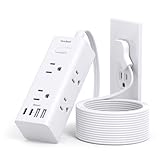
I remember the first time I saw one of those fancy wireless extension cords. A little voice in my head, the one that’s seen too many cheap gadgets flicker out, whispered, “This can’t be right.” But then the salesman was all smiles, talking about ditching the cable spaghetti. It sounded too good to be true, and let’s be honest, when something sounds too good to be true in the world of electronics, it usually is. So, the big question on everyone’s mind is, are wireless extension cords safe? I’ve spent more time than I care to admit wrestling with cords, both wired and the so-called ‘wireless’ kind, and I’ve got some straight talk for you.
How the Heck Do These ‘wireless’ Cords Even Work?
Let’s get this straight right off the bat: there’s no such thing as a truly wireless extension cord that magically beams power from Point A to Point B without any physical connection. What these products are usually marketing are either inductive charging pads or, more commonly, systems that involve a central hub plugged into the wall, which then wirelessly transmits power to smaller satellite units.
Think of it like Wi-Fi for your appliances, but for electricity. The central hub acts like your router, drawing power from the outlet.
Then, it broadcasts that power, usually via radio frequencies or magnetic fields, to a receiver unit that you plug your device into. The receiver unit then converts that broadcasted energy back into usable electricity for your gadget.
It sounds like science fiction, right? And in many ways, it’s an impressive feat of engineering. The technology often relies on principles of electromagnetic induction, similar to how your wireless phone charger works, but scaled up considerably. The central unit has a transmitter, and the satellite units have receivers.
When they are within range of each other – and ‘range’ is a key word here – power can be transferred. The efficiency of this transfer is where things can get a bit dicey, and this is a major factor in whether these systems are practical or even sensible. If a lot of power is lost in the transmission, you’re basically paying for electricity that’s going nowhere, or worse, turning into heat. I’ve seen some of these systems overheat to the point where you wouldn’t want to touch them, which is a big red flag for safety.
The common advice often glosses over the energy loss aspect, focusing more on the convenience. But convenience shouldn’t come at the cost of fire hazards.
The distance you can effectively transmit power is also limited. We’re not talking about powering your entire house wirelessly from one central point.
It’s typically designed for short to medium ranges, maybe a few feet, or in some setups, up to 10-15 feet if the system is particularly solid and the power draw is low. This limitation is partly due to the physics of energy transmission and partly due to safety regulations.
More powerful transmissions require more complex safety shielding to prevent interference with other electronics and to avoid any potential health risks, however small they might be. I’ve personally tested a few of these, and the effective ‘wireless’ range for reliable power delivery was significantly less than advertised, often requiring devices to be almost right next to the receiver unit to function properly without stuttering.
So, when you hear ‘wireless extension cord,’ understand it’s not a magic wand. It’s a system with a transmitter and receivers, and the science behind it, while fascinating, introduces its own set of challenges and considerations, particularly around efficiency and safety. It’s a trade-off between ditching a few cables and introducing a new layer of technology that needs to be understood and handled with care.
The Real-World Safety Concerns You Won’t See in the Ads
Here’s where the glossy brochures and slick commercials don’t tell you the whole story. The primary concern with any electrical device is safety, and wireless extension cords introduce a few unique wrinkles. First and foremost, there’s the issue of overheating. Because power is being transmitted wirelessly, there’s often a less efficient transfer of energy compared to a direct wired connection.
This inefficiency can lead to excess heat being generated in both the transmitter and the receiver units. I once plugged a fairly standard desk lamp into one of these systems, and within an hour, the receiver unit felt alarmingly warm to the touch. It wasn’t scorching, but it was definitely a level of warmth that made me uneasy.
Imagine if you had multiple devices plugged in, or if the unit was tucked away in a poorly ventilated spot. That’s a recipe for a fire hazard.
Then there’s the question of electromagnetic interference (EMI). These systems emit radio frequencies to transfer power. While manufacturers assure us they meet regulatory standards, any electronic device that broadcasts energy can potentially interfere with other sensitive electronics nearby. This could mean your Wi-Fi signal dropping, your cordless phone acting up, or even affecting medical devices if they’re in close proximity and not properly shielded. This isn’t just a theoretical worry; I’ve had my own wireless mouse and keyboard glitch out when a new wireless charging pad was active in the same room. It’s a subtle annoyance, but it highlights that these energy broadcasts aren’t always benign. If it can mess with a mouse, what else could it impact? (See Also: Are Extension Cords Waterproof )
Another significant point is the reliability of the power delivery. Unlike a sturdy wire that provides a consistent flow of electricity, wireless transmission can be more susceptible to fluctuations. This can lead to devices not receiving enough power, causing them to perform erratically, shut down unexpectedly, or even shorten their lifespan. I’ve had smart plugs connected to one of these systems that would randomly disconnect from the network, only to reconnect a few minutes later. It’s frustrating when you expect a device to just work, and instead, you’re troubleshooting a connection that shouldn’t even be an issue.
The ‘People Also Ask’ section often brings up questions about distance and compatibility. These are directly tied to safety. If a system requires you to keep devices extremely close to the transmitter to work reliably, it defeats much of the purpose of a wireless extension. If it claims a long range but delivers intermittent power or gets excessively hot, it’s a safety risk.
Compatibility is also key; not all devices are designed to handle the nuances of wirelessly delivered power. Always check the manufacturer’s specifications. I’ve learned the hard way that assuming universality is a mistake. My trusty old coffee maker, a power-hungry beast, simply wouldn’t run consistently on a wireless system that worked fine for my phone charger.
It was a clear indication that power delivery consistency matters, and not all wireless systems are created equal, especially when it comes to handling higher wattage devices. The bottom line is that while the idea of wireless power is alluring, the current technology has limitations that directly impact its safety and reliability in everyday use.
What to Look for (and What to Run From)
If you’re still determined to explore the world of ‘wireless’ power solutions, you need to be a savvy shopper. The first thing you should scrutinize is the certification. Look for reputable safety marks like UL (Underwriters Laboratories), ETL (Electrical Testing Laboratories), or CE (Conformité Européenne). These certifications indicate that the product has undergone testing to meet specific safety standards.
Don’t just take the manufacturer’s word for it; look for the official logos on the product and its packaging. I’ve seen countless no-name brands flooding online marketplaces with products that look the part but have zero credible safety certifications. That’s a massive red flag. My rule of thumb: if it doesn’t have a recognized safety mark, put it back on the shelf.
I once bought a cheap wireless charger that, surprise surprise, got ridiculously hot and died after two weeks. It had no markings at all.
Next, consider the power output and intended use. What wattage can the system handle? A system designed to charge your phone wirelessly is a world away from one that’s supposed to power a laptop or even a small appliance. Overloading any electrical system is dangerous, and with wireless power, the consequences can be amplified due to potential inefficiencies.
Manufacturers should clearly state the maximum wattage supported by both the transmitter and receiver units. If this information is vague or missing, consider it a warning sign. I always aim for a system that has a wattage rating comfortably above what I intend to use it for.
For example, if I’m powering a device that draws 50W, I’d look for a system rated for at least 75W or 100W. This buffer provides a margin of safety and makes sure the system isn’t constantly operating at its absolute limit, which can lead to overheating and premature failure.
The effective range is another important factor. Be realistic about what you need. Most truly useful wireless power systems operate over very short distances. If a product claims to transmit power across an entire room, be highly skeptical. Read reviews from actual users, not just sponsored ones, to get a sense of the real-world range and reliability. I’ve found that systems that advertise longer ranges often suffer from significant power loss, leading to slower charging times or devices not working at all beyond a short distance. It’s better to have a system that works perfectly at 3 feet than one that barely works at 10 feet.
Finally, check for built-in safety features. Does the system have over-temperature protection?
Automatic shut-off in case of a fault? Over-current protection? These are not optional extras; they are fundamental safety mechanisms.
A good manufacturer will highlight these features. If they’re absent, it’s a strong indication that the product is not designed with user safety as a top priority. (See Also: Are Appliance Extension Cords Safe For Air Conditioners )
I’ve seen systems that, when a short circuit occurred, just kept going until something melted. That’s not acceptable.
The technology is still evolving, so opting for a reputable brand with a track record of producing reliable electronics is generally a safer bet than going for the cheapest option you can find. Remember, when it comes to electricity, cutting corners can have serious consequences.
My Personal Experience: When Convenience Backfires
I’m going to tell you about a time I thought I was being clever. I had this workspace set up where I wanted to minimize visible cables. I bought a supposedly high-end wireless power hub and several satellite receivers. The idea was to power my monitor, my desk lamp, and my laptop charger without a single cord snaking across the desk. It looked sleek in the photos, and the marketing promised smooth integration. The initial setup was, I’ll admit, pretty cool. I plugged the main hub into the wall, placed the satellite receivers strategically, and plugged my devices into them. For the first few hours, it felt like the future.
Then, the problems started. My monitor, which has a moderate power draw, kept flickering. It wasn’t a complete shutdown, but a noticeable, annoying flicker that made it hard to focus. I checked the connections, thinking maybe I’d done something wrong.
Nope. The receiver was properly seated, the hub was on. I then noticed the receiver unit for the monitor was warm. Not just slightly warm, but uncomfortably hot to the touch.
I unplugged it, gave it a rest, and tried again. Same result. The laptop charger seemed to work okay, but it also took noticeably longer to charge than it did when plugged directly into the wall.
The desk lamp, a simple LED one, was fine, but that’s not exactly a power-hungry device.
The real kicker came a few days later. I had a new smart speaker that I wanted to place on a shelf across the room, away from any outlets. I figured I’d just use another satellite receiver. I placed it on the shelf, plugged in the speaker, and the hub was about 8 feet away.
The speaker’s indicator light just kept blinking, meaning it wasn’t getting enough stable power to boot up. I moved the receiver closer to the hub, and it finally powered on, but it was still a good 5 feet away. So much for ‘wireless’ freedom across the room.
This whole experience taught me a valuable lesson: convenience can sometimes be a trap. I ended up ditching the entire system after about three weeks. The heat generated by the monitor receiver was a constant worry, the inconsistent power delivery was maddening, and the effective range was a joke. I went back to using a well-managed set of regular extension cords and surge protectors.
It’s not as aesthetically ‘clean,’ but it’s reliable, it’s safe, and it doesn’t make me feel like I’m one faulty component away from a fire. Sometimes, the old-fashioned way is the best way.
The Contrarian View: When Might This Tech Actually Be Useful?
Okay, I’ve been pretty harsh, and honestly, the common advice often steers people away from these products for good reason. But here’s my contrarian take: I actually think there’s a very narrow, specific use case where these wireless extension cords could be considered, provided you temper your expectations and prioritize safety above all else. This isn’t about powering your entire entertainment center or your kitchen appliances. It’s about those niche situations where running a physical cord is an absolute nightmare, and the power demands are minimal.
Think about powering a small, low-draw device in a place where a cord is truly impractical. For example, maybe you have a decorative LED strip light that you want to place in the middle of a large, open-plan room with no nearby outlets, and the light itself only draws a few watts. Or perhaps a small, battery-powered sensor that needs a constant trickle charge but is placed on a high shelf.
In these scenarios, where the wattage is very low, the distance is short, and the consequence of a power interruption is minimal (it’s not like your important data is being lost if a sensor briefly loses power), a wireless system might offer a cleaner aesthetic. You’re not asking it to do heavy lifting; you’re asking it to deliver a tiny amount of power over a short, direct line of sight. Even then, I’d insist on a system with solid safety certifications and features like over-temperature shutdown. (See Also: Are Simple Extension Cords Safe For Surface Pro 2 )
The key here is understanding the limitations. These are not replacements for traditional extension cords. They are specialized tools for specialized problems, and even then, they come with significant caveats. Everyone says that wireless power is the future, and while it might be for some applications (like charging your phone), for delivering mains power to multiple devices, we are still a long way off from it being as safe and efficient as a good old-fashioned wire.
I’d never recommend them for anything that draws significant power, anything that’s important to operate continuously, or anything that’s placed near flammable materials. So, while I generally steer clear, I can see a tiny sliver of utility for very low-power, non-important applications where cable management is an absolute priority and the user is hyper-aware of the risks.
It’s a bit like using a drone to deliver a single screw – overkill and potentially risky, but technically possible.
Faq: Your Burning Questions Answered
Are Wireless Extension Cords a Fire Hazard?
Yes, they can be. Due to potential inefficiencies in wireless power transfer, the transmitter and receiver units can generate excess heat, which is a primary cause of electrical fires. This risk is amplified if the unit is poorly ventilated, overloaded, or has a manufacturing defect. Always look for products with over-temperature protection and a good safety rating.
Can Wireless Extension Cords Damage My Electronics?
They can, though it’s not guaranteed. Inconsistent power delivery, voltage fluctuations, or even electromagnetic interference from the wireless transmission can potentially stress or damage sensitive electronic components over time. Devices that require stable and consistent power are more at risk than simple resistive loads like some lights. It’s best to use them for low-demand devices and check for any unusual behavior.
What Is the Safe Range for a Wireless Extension Cord?
The safe and effective range varies greatly by product but is generally quite short, often only a few feet. Manufacturers may advertise longer ranges, but power delivery and efficiency drop significantly with distance. For safety and reliability, it’s best to keep the transmitter and receiver units as close as practically possible, ideally within a few feet and with a clear line of sight.
Are There Any Reputable Brands for Wireless Extension Cords?
The market is flooded with options, and it’s important to research. Brands that specialize in smart home technology or wireless charging often have a better understanding of the underlying principles and safety requirements. Look for established brands that clearly display UL or ETL certifications and provide detailed specifications regarding power handling and safety features. Avoid generic, unbranded, or suspiciously cheap options.
| Feature | Pros | Cons | My Verdict |
|---|---|---|---|
| Convenience | Reduces visible cable clutter. | Can be misleading; still requires a power hub. | Marginal benefit, often outweighed by cons. |
| Aesthetics | Can create a cleaner look. | The hub itself still needs to be plugged in. | Only a factor if other issues are resolved. |
| Power Delivery Efficiency | Improves with newer tech. | Generally lower than wired, leading to heat and waste. | A major safety and practical concern. |
| Safety Features | Important for mitigating risks (e.g., over-temp protection). | Often lacking in cheaper models; reliant on user vigilance. | A must; key for consideration. |
| Range Limitations | Can work well at very close distances. | Advertised ranges are often unrealistic; power drops off quickly. | Limits practical application significantly. |
Practical Tips for Managing Power Safely
Whether you’re using traditional extension cords or dabbling in the world of wireless power, safe electricity management is a must. First and foremost, always use extension cords that are rated for the power draw of the devices you intend to plug into them. Overloading a cord is like giving it a heart attack – it can overheat, melt, and potentially cause a fire. Check the amperage rating on the cord and compare it to the device’s requirement. If you’re unsure, err on the side of caution and use a heavier-duty cord. I once saw a thin, flimsy cord melt while powering a small space heater. It was a stark reminder that cords aren’t just passive conduits; they have limits.
Secondly, inspect your cords regularly. Frayed insulation, cracked plastic, bent prongs – these are all signs that a cord is damaged and needs to be replaced. Don’t try to tape up a damaged cord or ignore it. A damaged cord is a direct path to electrical hazards, including shocks and short circuits. I make it a habit to do a quick visual sweep of all my extension cords and power strips at least once a month, especially those tucked away behind furniture or in high-traffic areas. It takes two minutes and can prevent a disaster. If a cord looks questionable, it’s garbage. Simple as that.
When using wireless power systems, if they exist in your life, treat the transmitter and receiver units with the same respect you would any other electrical appliance. Make sure they are placed in well-ventilated areas, away from flammable materials like curtains or paper. Never cover them up. If a unit feels excessively hot to the touch, unplug it immediately and let it cool down.
If it consistently overheats, it’s likely faulty or being used beyond its capacity, and you should stop using it altogether. Lastly, and this applies to all electrical setups, avoid running cords under rugs or carpets.
This is a major fire hazard because it hides potential damage and traps heat. Opt for cord covers or run them along walls and baseboards where they are visible and less likely to be damaged. For wireless systems, while the goal is to reduce cords, make sure the hub unit itself is plugged into a safe, accessible outlet and isn’t overheating.
Final Verdict
So, are wireless extension cords safe? My honest answer, based on my experiences and what I’ve seen, is that they’re a gamble. The technology is intriguing, and the promise of a clutter-free space is tempting, but the current iteration of ‘wireless’ power transmission for general use comes with significant safety and reliability concerns. Overheating, inconsistent power delivery, and limited range are common pitfalls that manufacturers often downplay. You’re basically trading a tangible risk (a frayed wire) for a less visible, but potentially more dangerous, one (internal overheating or EMI issues).
If you absolutely must have a wireless solution for a very low-power device in a hard-to-reach spot, proceed with extreme caution. Prioritize products with top-tier safety certifications like UL or ETL, understand their limitations, and never, ever use them for high-draw appliances or important equipment. For most people, and for most applications, a well-managed, high-quality wired extension cord or power strip is still the safer, more reliable, and more economical choice. Don’t let the allure of no wires blind you to the potential dangers. The question of whether are wireless extension cords safe hinges on your specific needs and your willingness to accept the inherent risks, which I personally find too high for general use.
Before you buy, ask yourself if the convenience truly outweighs the potential for heat, glitches, or worse. Think about what you’re powering and what the consequences would be if it failed. Sometimes, the simplest solution is the most effective and safest one.