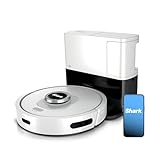
Honestly, the sheer volume of junk advice out there about robot vacuums is enough to make you want to chuck the whole darn thing out the window. I’ve been there, staring at a blinking red light on a Shark that just… died. And let me tell you, those fancy online forums full of people who *think* they know something? Mostly garbage.
You buy these things expecting a spotless house with zero effort, and then it decides to stage a rebellion. It’s frustrating. It’s infuriating, especially when you’ve already spent a decent chunk of change.
So, if you’re asking yourself ‘how to fix Shark robot vacuum’ because yours is being a stubborn paperweight, good. You’ve come to the right place. Forget the corporate jargon and the ‘revolutionary’ fixes. We’re talking about real, hands-on solutions that actually work, because I’ve wrestled with these machines more times than I care to admit.
When Your Shark Just Stops: The Obvious Stuff First
Okay, before you start disassembling the thing with a butter knife, let’s cover the absolute basics. I once spent a solid hour convinced my Shark was on its last legs, only to realize the power switch was accidentally bumped. Ridiculous, I know. You’d think it’s too simple, but sometimes, that’s exactly it. Check the power button. Is it actually on? Sounds dumb, but it happens to the best of us, especially when you’re rushing.
Then there’s the dock. Is it plugged in? Is the dock itself lit up, indicating it’s receiving power? Many times, a robot vacuum won’t charge or communicate if its home base isn’t properly connected. I remember one instance where a squirrel decided to chew through the cord to the outdoor outlet my dock was plugged into. Not saying a squirrel is your problem, but power is paramount. Make sure that dock is getting juice.
Brush Roll and Debris: The Most Common Culprits
This is where most of the action happens, literally. The brush roll is supposed to be the workhorse, but it’s also the most common choke point. Hair. So much hair. Pet hair, human hair, stray threads from your favorite rug – it all gets wrapped around that brush roll like a tiny, furry mummy. If your Shark starts making a weird grinding noise or just stops moving, the brush roll is your prime suspect.
And it’s not just hair. Small toys, coins, even bits of cardboard can jam it. I once found a rogue LEGO brick lodged so deep in my brush roll that it took a pair of pliers and a good fifteen minutes of wiggling to get it out. The thing was making a sound like a dying banshee before that.
To fix this, you usually need to remove the brush roll. Most Shark models have a little latch or a release mechanism. Carefully take it out, grab scissors or a seam ripper (seriously, a seam ripper is way better for this than scissors), and start de-tangling. Get a good light source – a headlamp works wonders – so you can see all the little bits stuck in there. You want it to spin freely.
Also, check the brushes on the sides. Those little spinning guys? They can get tangled too, and if they can’t spin, they can’t push dirt towards the main brush. Clean those out with a small brush or an old toothbrush. You’re aiming for a clean sweep, not a tangled mess. (See Also: Should I Turning My Shark Robot Vacuum Off )
The Filter: Is It Actually Breathing?
This one is less about things *breaking* and more about the vacuum just… not working *well*. A clogged filter is like trying to run a marathon with your nose stuffed with cotton balls. Your Shark simply can’t suck up dirt effectively if its lungs are blocked.
Most Shark robot vacuums have washable filters. “Washable” is the key word here. Not “just rinse it.” You need to rinse it under cool running water until the water runs clear. Then, and this is critical, you MUST let it air dry completely. Like, 24 hours completely. If you put a damp filter back in, you risk mold and mildew, which smells terrible and is bad for your air quality. Trust me, I learned this the hard way with a different brand years ago. The whole house smelled like a wet dog for a week.
Some Shark models have HEPA filters or other types that might need replacing every few months. Check your manual. Seriously, dig it out. It’s not that heavy. You can usually find the replacement filter part number on the filter itself or in the manual. Don’t skimp on this; a good filter makes a massive difference in suction power and air quality. Think of it like changing the oil in your car – you wouldn’t skip it and expect good performance, right?
When the Sensors Go Rogue
Sensors are the eyes and ears of your robot vacuum. They tell it where walls are, where cliffs (like stairs) are, and how to get back to the dock. If these get dirty or blocked, your Shark can start behaving erratically – bumping into things way too hard, getting stuck in corners, or just wandering aimlessly like it’s lost its car keys.
Cleaning these is usually pretty straightforward. Look for the little black or clear windows on the front, sides, and bottom of the vacuum. Use a dry, soft cloth to wipe them clean. For stubborn gunk, a *slightly* damp cloth will do, but again, ensure it’s dry afterward. Don’t spray cleaner directly onto the sensors; that can damage them. You want to treat them gently, like you’re cleaning the lenses of a delicate camera.
Sometimes, a sensor might just be faulty. This is where things get trickier. If cleaning doesn’t help, and you’ve tried all the basic troubleshooting, you might be looking at a replacement part. That’s where it gets more involved, and sometimes, depending on the cost of the part versus a new unit, it’s not always worth the headache. I spent around $75 trying to replace a sensor board on a machine that was already three years old. In hindsight, I should have just bought a new one.
Battery Issues: The Fading Power
A robot vacuum that dies halfway through its cleaning cycle or refuses to charge is usually a battery problem. Lithium-ion batteries don’t last forever. They degrade over time. You might notice your Shark is running for shorter and shorter periods, or it takes an eternity to charge.
The good news is that batteries are often replaceable. You can usually order a replacement battery pack directly from Shark or from third-party retailers. The process typically involves opening up the underside of the vacuum, disconnecting the old battery, and plugging in the new one. It’s not rocket science, but it does require a bit of mechanical aptitude. (See Also: Is It Best Robot Vacuum With Self Emptying Bin )
If your Shark is still under warranty, this is definitely the first avenue to explore. Contact Shark customer support. They might send you a new battery free of charge. If it’s out of warranty, you’ll need to weigh the cost of the battery against the age and general condition of the vacuum. Batteries for these can range from $30 to $70, sometimes more.
Software Glitches and Resetting
Sometimes, these robots are less mechanical and more like little computers on wheels. They can get confused. A firmware glitch or a corrupted setting can cause all sorts of weird behavior.
The go-to fix for most electronic devices when they act up? A hard reset. For Shark robot vacuums, this usually involves holding down the power button for an extended period (check your manual for the exact duration, often 10-20 seconds) or removing and reinserting the battery. This forces the system to reboot and can clear out temporary software hiccups.
If you use a companion app for your Shark, sometimes updating the app or the vacuum’s firmware can resolve issues. Always keep your software up to date, just like you do with your phone. It’s a pain, I know, but it often prevents future headaches. I once had a Shark that wouldn’t map my living room correctly; a firmware update fixed it overnight.
| Problem | Likely Cause | Fix Difficulty | My Verdict |
|---|---|---|---|
| Won’t Turn On | No Power / Dock Issue | Easy | Always check the power plug first. Seriously. Don’t overthink it. |
| Weird Noises / Stops | Brush Roll Jammed | Medium | Requires manual cleaning. Patience is key here. |
| Poor Suction | Clogged Filter | Easy | Wash and dry filters religiously. This is non-negotiable for performance. |
| Bumps Walls Too Hard | Dirty Sensors | Easy | A quick wipe down fixes most sensor issues. |
| Dies Too Quickly | Aging Battery | Medium/Hard | Battery replacement is doable but can be costly out of warranty. |
Frequently Asked Questions About Fixing Your Shark Robot Vacuum
Why Is My Shark Robot Vacuum Not Charging?
Most of the time, a Shark robot vacuum not charging is due to power issues with the charging dock or a dirty charging contact. Ensure the dock is plugged in securely and has a power light. Clean the metal charging contacts on both the vacuum and the dock with a dry cloth. If the battery is very old, it might also have lost its ability to hold a charge, necessitating a replacement.
My Shark Robot Vacuum Keeps Getting Stuck. What’s Wrong?
This is usually a sensor issue or a problem with the navigation system. Dirty cliff sensors can make the vacuum think it’s falling down stairs when it’s just on a dark rug. Clean all the sensors thoroughly with a soft, dry cloth. If it continues, check if the brushes or wheels are tangled with debris that might be hindering its movement. Sometimes a software glitch can cause this, so a hard reset might be needed.
How Often Should I Clean My Shark Robot Vacuum?
For optimal performance and longevity, you should aim to clean out the dustbin and brush roll after every few cleaning cycles, or at least once a week. Washable filters should be rinsed weekly and air-dried completely, and replaced according to the manufacturer’s recommendations, typically every 2-3 months. Side brushes should also be checked regularly for tangles.
Can I Use Any Cleaner on My Shark Robot Vacuum?
No, you should avoid using harsh chemical cleaners directly on your Shark robot vacuum. For general cleaning, a dry or slightly damp microfiber cloth is best for the exterior and sensors. For the dustbin, a damp cloth or mild soap and water is usually fine, but ensure it’s completely dry before reassembly. Never spray liquids directly onto the robot. For specific parts like filters, follow the manufacturer’s instructions. (See Also: Is It Best Robot Vacuum For Cleaning Large Homes )
The ‘overrated’ Fix Everyone Recommends
Here’s a hot take: Everyone online talks about firmware updates as if they’re a magic bullet. And yeah, they *can* fix things, sometimes. But I’ve found that more often than not, the biggest problems aren’t software glitches; they’re good old-fashioned physical blockages or worn-out parts. Spending hours waiting for a firmware update to download and install when your brush roll is just jammed with hair feels like rearranging deck chairs on the Titanic.
My advice? Prioritize the physical maintenance. Check the brushes, the filters, the wheels, and the dustbin first. If those are pristine and the machine is still acting up, *then* dive into software updates. It saves you a lot of time and frustration. This isn’t about dismissing technology; it’s about being practical. Real-world mechanical issues trump theoretical software bugs nine times out of ten when it comes to these machines.
Verdict
So there you have it. The nitty-gritty of how to fix Shark robot vacuum issues without pulling your hair out or dropping a fortune. Most of the time, it’s a simple jam, a dirty sensor, or a clogged filter. Don’t be intimidated; these machines are built for us to tinker with a little.
Honestly, my biggest takeaway after years of this? Regular, diligent cleaning is more important than any fancy firmware update. If you’re not cleaning out the brushes and dustbin weekly, you’re just asking for trouble. It’s like expecting your car to run forever without an oil change.
Before you throw in the towel, try these steps. You might be surprised at how much life you can breathe back into your trusty cleaner. If all else fails, you’ve at least learned a lot about your machine, which is valuable knowledge for your next purchase, or if you decide to tackle a more complex repair yourself.
Recommended Products