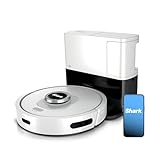
Stopped dead. You walk into the living room, ready to catch up on life while your trusty Shark robot vacuum does the dirty work, only to find it… sitting there. Not docked. Not charging. Just inert. Useless.
Questions start bubbling up: Did it forget how to dock? Is the battery shot? Honestly, this little dance has happened more times than I care to admit, and it’s enough to make you want to chuck the whole thing out the window. You spent good money on this thing, and when it’s not charging, it’s just an expensive dust collector.
So, why isn’t my Shark robot vacuum charging? It’s not always a simple fix, but it’s rarely a death sentence for the robot. Let’s cut through the digital noise and talk about what’s actually going on and, more importantly, how to fix it.
The Docking Station: Not Always a Friend
First things first, let’s talk about its home base. The docking station. This little plastic altar is where your robot goes to recharge its batteries. If it’s not charging, the very first place to look is right here.
Dirty contacts are the usual suspects. Over time, dust and grime build up on both the contacts on the robot and the contacts on the charging dock. It’s like trying to plug in your phone with lint in the port — nothing connects.
My personal nightmare involved a particularly fuzzy rug that shed like a Siberian husky in July. Little fibers ended up clinging to the charging contacts on my Shark, and for about three days, it acted like it had forgotten how to eat. I tried everything else first, of course. Wasted an entire afternoon fiddling with the app, restarting it, and even contemplating a factory reset, which always feels like admitting defeat to a piece of plastic.
Cleaning the Contacts: The Boring but Necessary Step
Seriously, this is it. Grab a clean, dry microfiber cloth. Gently wipe down the metal charging contacts on the bottom of your Shark robot vacuum. Then, do the same for the corresponding contacts on the charging dock itself. You might need to use a cotton swab dipped in a tiny bit of isopropyl alcohol for stubborn grime, but make sure it dries completely before you put the robot back.
I’ve found that a slightly damp (not wet!) cloth works wonders if the dust is really caked on. The sensation of the cloth gliding over the metal, lifting away the dull film to reveal the shiny brass underneath, is surprisingly satisfying. It feels like unlocking a tiny, mechanical secret.
Power, Please! Checking the Juice Flow
This sounds obvious, but you’d be amazed how many times I’ve seen this be the culprit. Is the charging dock actually plugged in? And is it plugged into a working outlet?
Sounds daft, right? But think about it. You might have bumped the plug, a pet might have nudged it, or maybe the circuit breaker tripped. The lights on the dock should be illuminated when it’s receiving power. If there are no lights at all, your problem isn’t the robot; it’s the power source or the dock itself. (See Also: Should I Turning My Shark Robot Vacuum Off )
I once spent an hour troubleshooting my bot, convinced it was a software glitch, only to find out the power strip it was plugged into had a faulty on/off switch. The whole thing was a testament to my own stubborn refusal to check the most basic things first. It was around $50 I spent on replacement filters that week that I could have saved.
Battery Health: The Silent Killer
Robot vacuum batteries, like all batteries, degrade over time. They have a finite number of charge cycles. If your Shark is a few years old and suddenly stops charging reliably, it’s a strong possibility the battery is the issue.
Shark, like most manufacturers, uses lithium-ion batteries. These are great, but they don’t last forever. You might notice it not holding a charge for as long as it used to, even if it *does* manage to dock and start charging. This is a common complaint, and frankly, it’s the most expensive part to replace.
What to Do If You Suspect a Bad Battery?
Check your warranty first. If it’s out of warranty, you’ll need to decide if a replacement battery is worth the cost. Shark’s official replacement batteries can be pricey, often $50-$80 or more. You can find third-party batteries, but quality varies wildly. I’ve had mixed results, so proceed with caution there.
Trying to find the battery inside is like performing minor surgery on a delicate piece of tech. You’ll need a small screwdriver set, and you have to be careful not to damage the internal wiring.
Software Glitches: The Digital Headache
Sometimes, the problem isn’t physical at all. It’s a hiccup in the robot’s brain. Software bugs can cause all sorts of weird behavior, including the inability to recognize the charging dock.
The go-to fix for most software gremlins is a good old-fashioned reboot. For your Shark robot, this usually involves finding the power button (check the manual if you’re unsure where it is) and holding it down for a solid 10-15 seconds until the robot powers off completely. Wait about a minute, then power it back on.
If that doesn’t work, a factory reset might be necessary. This wipes all your settings, custom maps, and schedules, so it’s a last resort. You’ll find the instructions for a factory reset in your Shark’s user manual. It’s a bit like starting over with a new robot, and honestly, that’s part of why I hesitate to do it unless absolutely necessary.
Obstacles to Docking: More Than Just Furniture
It’s not just about the dirt on the contacts. Sometimes, the robot simply can’t *reach* the dock. Its pathfinding algorithm might be confused, or there might be something physically blocking it. (See Also: Is It Best Robot Vacuum For Cleaning Large Homes )
Make sure the area around the charging dock is clear. Shark recommends a specific clearance zone – usually about 1.5 feet on either side and 3 feet in front. If you’ve rearranged furniture or placed a new plant stand nearby, your robot might be struggling to find its way home.
The dock itself needs to be stable. If it’s wobbly or placed on a thick rug that makes it uneven, the robot might have trouble aligning correctly. It’s like trying to park a car on a hill; precision is key.
The ‘ir Beacon’ Myth and Reality
Many people believe the charging dock emits an infrared (IR) beacon that the robot follows. While IR is involved, it’s not a simple beacon. The charging dock has a specific pattern of IR emitters. The robot has IR receivers that detect these patterns to guide it home.
If the robot’s receivers are dirty, or if the dock’s emitters are obstructed, it can make navigation tricky. Think of it like trying to find your way in the dark with a faulty flashlight. You know the general direction, but the fine-tuning is impossible. I’ve seen dust bunnies form a veritable fortress around the dock’s emitters, rendering the robot effectively blind to its home.
When to Call It Quits (or Call Shark)
If you’ve gone through all these steps – cleaned contacts, checked power, rebooted, cleared the area, and it *still* won’t charge – it might be time to contact Shark customer support. If your robot is still under its limited warranty, this is definitely the route to go. They can guide you through more advanced troubleshooting or arrange for a repair or replacement.
Honestly, dealing with customer service can be a drain. You’ll likely have to repeat many of the steps I’ve outlined. But sometimes, they have access to diagnostic tools or insights that an end-user doesn’t. A representative from the SharkClean support forum once mentioned that a specific firmware update fixed charging issues for about 5% of their users.
Troubleshooting Table: Quick Reference
Here’s a quick breakdown of common issues and potential fixes:
| Problem | Possible Cause | My Verdict |
|---|---|---|
| Robot not docking/charging | Dirty contacts (robot/dock) | Easiest fix, always start here. Don’t skip this. |
| Robot not docking/charging | No power to dock / faulty outlet | Check the plug and the wall socket. Obvious but essential. |
| Robot not docking/charging | Docking station obstructed / unstable | Clear the path. Make sure the dock is rock solid. |
| Robot not charging (shows no signs of life) | Dead battery | Likely if the robot is old. Expensive, but sometimes necessary. |
| Robot not docking/charging intermittently | Software glitch | Rebooting or factory reset can help. Might be a pain. |
Why Is My Shark Robot Vacuum Not Connecting to the Charger?
Most likely, the charging contacts on both the robot and the dock are dirty. Give them a good clean with a dry microfiber cloth. Also, ensure the charging dock is plugged into a working power source and that there are no physical obstructions preventing the robot from reaching it.
How Often Should I Clean My Shark Robot Vacuum’s Charging Contacts?
I recommend cleaning them at least once a month, or more frequently if you notice dust buildup or if the robot seems to be having trouble docking. It’s a quick job that can prevent a lot of headaches down the line. (See Also: Is The Shark Robot Vacuum Better Than The Irobot Roomba )
Can I Use a Third-Party Battery for My Shark Robot Vacuum?
Yes, you can, but be cautious. While third-party batteries can be cheaper, their quality and longevity can vary significantly. Always check reviews and buy from reputable sellers. Make sure it’s compatible with your specific Shark model.
What Does It Mean If the Charging Light on My Shark Robot Vacuum Is Blinking?
A blinking light often indicates an error or a charging issue. Consult your Shark robot vacuum’s manual for the specific meaning of the blinking pattern, as it can vary by model. It often points to a problem with the battery or the charging connection.
My Shark Robot Vacuum Keeps Returning to the Dock but Not Charging. What’s Wrong?
This usually means the robot can sense and reach the dock, but the electrical connection isn’t being made. The most common culprits are dirty charging contacts or an issue with the power supply to the dock itself. Double-check that the dock is firmly plugged in and that the outlet is live. If those are fine, clean the contacts thoroughly.
Final Thoughts
So, why isn’t my Shark robot vacuum charging? It’s rarely one single, mysterious reason. Usually, it’s a combination of simple, overlooked maintenance or a dying battery. Don’t panic the first time it happens; it’s a rite of passage for robot vacuum owners.
Seriously, before you even *think* about calling customer service or buying a new one, grab that microfiber cloth. Give the contacts a good scrub. Check the power. Make sure the dock isn’t buried under a pile of mail or a rogue slipper.
If you’ve done all that and it’s still giving you the silent treatment, then yeah, it might be time to investigate the battery or reach out for help. But nine times out of ten, a bit of cleaning and a second look at the power cord solves the mystery.
Recommended Products