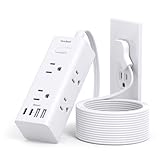
I used to think extension cords were just passive conduits, like plumbing for electricity. Plug it in, run the wire, no biggie. Then I started noticing my electricity bills creeping up, and I’d stare at the tangle of cords behind the TV, the computer desk, the kitchen counter, wondering. Could all these silent, slumbering snakes be secretly draining my wallet? The question kept nagging: are extension cords power vampires, gobbling up energy when nothing’s even plugged in?
It’s a frustrating thought, isn’t it? You try to be mindful, turning off lights, unplugging chargers, but then you’re left with this sprawling network of cords that are always… there. This article cuts through the noise and tells you what’s actually happening, based on years of wrestling with power strips and dodgy wiring in my own damn house.
The Silent Drain: What ‘vampire Power’ Actually Is
Let’s get this straight right off the bat: no, a basic, unpowered extension cord itself does not draw electricity. It’s a piece of wire and plastic, inert.
The confusion usually stems from what’s plugged into the extension cord, or more specifically, the power strip that often sits at the end of one. These devices, especially those with surge protection or multiple outlets, can be the real culprits behind phantom energy use, often called ‘vampire power’ or ‘standby power.’
Think of your TV, your game console, your computer monitor, even that fancy coffee maker with a digital clock. When they’re ‘off’ but still plugged in, they’re often not truly off. They’re in standby mode, waiting for the remote signal, maintaining memory settings, or keeping a clock ticking. This standby state requires a small but constant trickle of power.
I remember this one time, about five years ago, I was convinced my heating bill was insane. I’d turned the thermostat way down, wore sweaters indoors, the whole nine yards. But the bill kept coming in high. I spent a whole weekend unplugging everything I could, including a massive power strip behind my entertainment center that had the TV, Blu-ray player, soundbar, and a couple of game consoles.
Each item, I later learned, had its own tiny standby draw. When you multiply that tiny draw by four or five devices, and then multiply that by the hours in a month, it adds up. That power strip, loaded with ‘off’ electronics, was definitely a significant part of my phantom power problem.
It wasn’t the extension cord itself, but the gang of electronics it was powering, all sipping power even when supposedly dormant.
The misconception is that the extension cord is the active agent, the thing sucking the life out of your outlets. In reality, it’s the connected devices. However, an extension cord is often the gateway to these devices. Without it, you might not have all those things plugged in and drawing standby power in the first place. The cord itself is just the messenger, but the message it carries can be one of wasted energy if the devices at the other end aren’t managed properly. So, while the cord isn’t the vampire, it’s often the accessory to the crime.
How Do These ‘vampires’ Actually Work?
The ‘vampire’ behavior, or standby power consumption, happens because many modern electronics aren’t designed to completely shut off when you press the power button or unplug the remote. Instead, they enter a low-power standby mode. This allows them to respond instantly when you want to use them. For example, your TV needs to receive a signal from the remote, so its infrared receiver has to be active. Your Wi-Fi router needs to maintain its connection, and your computer might need to wake up quickly for scheduled tasks. These functions, while seemingly insignificant individually, require a continuous, albeit small, electrical current.
Think about your microwave. It has a clock, right? That clock runs 24/7, so it’s always drawing power, even when you’re not using it to heat up leftovers. Or your cable box. It’s often downloading guide data or firmware updates in the background. Even devices that seem simple, like a lamp with a dimmer switch or a phone charger plugged into the wall (even without a phone attached), can draw a small amount of power. The charger is still ‘active’ in the sense that it’s waiting to convert AC power to DC power for your device.
This standby power is often less than 1 watt for a single device, but it’s the cumulative effect that’s the issue. A study by the Natural Resources Defense Council (NRDC) in the US estimated that standby power accounts for about 5-10% of residential electricity use.
That’s a significant chunk of your bill that isn’t powering anything you’re actively using. This is where surge protector power strips come into play as a potential solution. (See Also: Can Extension Cords Short Out )
They often have an on/off switch. When you flip the switch, you physically disconnect all the devices plugged into it from the power source, effectively killing the standby draw for all of them at once. It’s a much more efficient way to manage multiple devices than unplugging each one individually.
I learned this the hard way with my gaming setup. I had a beast of a PC, a massive curved monitor, a gaming console, and a subwoofer, all plugged into one heavy-duty power strip.
I’d just hit the button on the power strip to turn everything ‘off.’ It felt like a complete shutdown.
But then I got a smart plug and put it on that same power strip. I was shocked to see that even with the power strip’s switch flipped, the smart plug was still reporting a small, consistent power draw, albeit much lower than when things were actively running. My conclusion? Even the ‘off’ switch on some power strips isn’t a true disconnect for everything.
Some components might still be drawing power or the strip itself has some minor internal consumption.
What to Look for in Extension Cords and Power Strips
When you’re looking at extension cords and power strips, especially if you’re concerned about vampire power, you need to look beyond just the number of outlets or the length of the cord. You’re hunting for features that help you manage power consumption. Firstly, the type of power strip matters. Look for ‘smart’ power strips or those with individual outlet control.
These let you turn off specific devices without affecting others. Some even have a ‘master’ outlet; when the device plugged into the master outlet (like your TV) is off, it signals the power strip to cut power to other connected ‘slave’ outlets (like your Blu-ray player or game console). This is a fantastic way to eliminate standby power for your entire entertainment center.
Surge protection is a common feature, and generally a good idea for valuable electronics, but it’s not directly related to vampire power. What is relevant is the quality of the switch. Some basic power strips have simple rocker switches that might not offer a completely clean break in the circuit. Higher-quality power strips, especially those designed with energy efficiency in mind, will have more solid switches. Look for ETL or UL certification – this indicates the product has been tested and meets safety standards, but it doesn’t guarantee energy efficiency. You might have to dig a bit deeper into product descriptions or reviews.
I personally favor power strips with clearly labeled individual switches for each outlet. It adds a bit of clutter with all the little switches, but I can see at a glance what’s truly off.
For my home office, I use a power strip where the computer is the ‘master.’ When the computer goes to sleep, it automatically cuts power to the monitor, speakers, and even my printer. It’s a small thing, but it’s satisfying knowing that when I walk away, those devices aren’t silently draining power. The initial cost for these smarter strips might be a bit higher, maybe an extra $10-$20 compared to a basic one, but over the lifespan of the product, the energy savings can offset that.
I spent about $150 on various smart power strips and individual outlet controllers over the last two years, and I figure it’s already saved me enough to buy another couple of them in electricity costs alone.
Common Mistakes People Make (and How to Avoid Them)
The biggest mistake is assuming that because a device is ‘off,’ it’s not using any power. As we’ve discussed, standby mode is a major contributor to vampire power. People often just unplug the main power cord from the wall, which works, but it’s impractical for a complex setup like a home theater or a computer workstation. You’d have a mess of cords and have to plug everything back in manually every time. (See Also: Can Extension Cords Be Use With Electric Heaters )
Another common mistake is relying solely on the ‘off’ button on a power strip. While some high-end ones might completely cut power, many basic models still allow a small amount of residual current to pass through. This means your devices could still be sipping energy. My own experience with that smart plug on my entertainment center power strip confirmed this. I thought I was being clever by hitting the strip’s switch, but it wasn’t the perfect solution.
Over-reliance on chargers is another pitfall. Phone chargers, laptop chargers, and other power adapters often draw power even when the device they’re charging isn’t plugged in. They are basically small transformers that are always ‘on’ and ready to convert AC to DC power. Think of all the little black cubes plugged into your outlets – each one is a potential vampire. The solution here is simple: unplug them when they’re not in use. Or, even better, use a power strip with individual switches and turn off the entire strip when you’re done charging for the day.
Here’s a little table to show you what I mean:
| Device Type | Typical Standby Draw (Watts) | Opinion/Verdict |
|---|---|---|
| Modern Flat-Screen TV | 5-15W | Significant if left plugged in 24/7. Use a smart strip. |
| Game Console (PS4/Xbox One) | 10-20W | Very high for ‘off.’ Definitely unplug or use a switched strip. |
| Desktop Computer Monitor | 1-5W | Low, but adds up with multiple monitors. Switchable strip helps. |
| Cable/Satellite Box | 10-25W | Often the worst offender. Needs constant power for updates. |
| Phone Charger (unplugged) | 0.1-1W | Small individually, but dozens of them? Unplug or use a strip. |
| Basic Extension Cord (no devices) | 0W | Perfectly innocent. The devices are the problem. |
The key takeaway is to be aware. Don’t just assume ‘off’ means ‘no power.’ Educate yourself about which devices are the biggest offenders and implement simple strategies to combat their energy-sapping habits.
Real-World Use: Beyond the Entertainment Center
While the entertainment center is often the poster child for vampire power, these energy drains are lurking in other parts of your home too. Consider your home office. Most people have a computer, monitor, printer, speakers, and various chargers all plugged in. Even when the computer is off, the printer might be in standby, the speakers ready to wake up, and the chargers are just… there. I’ve learned to consolidate my office equipment onto one smart power strip. When I shut down my computer, the strip detects the low power draw and kills power to everything else. It’s made a noticeable difference, and I don’t have to remember to unplug individual items.
Kitchen appliances are another surprise. That coffee maker with the digital display? It’s keeping time.
Your toaster oven might have an internal clock or be set for a quick reheat function. Even a refrigerator’s internal light and thermostat draw power constantly.
While you can’t easily unplug a fridge, for smaller appliances like microwaves, bread makers, or electric kettles that have a clock or timer, using a switched power strip can be a good idea. I used to have my microwave, toaster, and coffee maker all on one outlet with a surge protector. Now, that surge protector has an individual switch for each appliance. It’s overkill for some, but the satisfaction of flipping off the toaster and microwave when I’m done with breakfast is worth it.
Another area often overlooked is laundry rooms or garages where you might have battery chargers for tools, old computers, or other equipment that’s plugged in but not actively used. These are prime spots for phantom power draw. Think about those portable chargers for power tools; they’re plugged in for weeks or months sometimes, just waiting. My personal anecdote here is with my garage workbench.
I had a power strip with a drill charger, a soldering iron (which I rarely used but kept plugged in), and a small fan. I’d always just leave it plugged in.
One day, I decided to unplug the chargers and the soldering iron from the strip and just plug them in when needed. The difference in my mental load was surprisingly significant – I wasn’t constantly worried about something drawing power unnecessarily.
The principle remains the same: identify devices that are plugged in but not in active use, and find ways to cut their power. For devices you use frequently, like your computer or TV, smart power strips or devices with individual controls are your best bet. For items used infrequently, like tool chargers or decorative lights, simply unplugging them is the most effective (and free!) solution. It’s about building habits, not necessarily about buying a ton of new gadgets, though the right gadgets make it easier. (See Also: Are Outdoor Extension Cords 10 Or 12 Gauge )
The Real Impact: Saving Money and the Planet
So, are extension cords power vampires? No, but they can be accessories to the crime of vampire power. The real impact of this constant, low-level energy consumption is twofold: your wallet and the environment. On the financial side, those small amounts of wasted electricity add up. While unplugging a single phone charger might save you pennies a month, multiply that by every device in your home, and then by millions of homes, and you’re looking at significant wasted energy costs for consumers. The NRDC study I mentioned earlier also pointed out that standby power costs American consumers about $19 billion annually. That’s a staggering amount of money that could be saved or put to better use.
Economically, this wasted energy represents a demand on power grids that doesn’t actually provide any useful work. This means power plants have to generate more electricity than necessary, which often comes from burning fossil fuels. Therefore, reducing vampire power consumption is also an environmental win. It lowers greenhouse gas emissions and conserves natural resources. It’s a simple way for individuals to contribute to energy conservation without making drastic lifestyle changes. It’s about being more mindful of how we use electricity.
I’ve personally seen my electricity bills decrease by about 5-10% in the months after I made a concerted effort to tackle vampire power. This wasn’t through major appliance upgrades or changing my thermostat drastically, but by implementing the strategies discussed: using smart power strips, unplugging chargers, and being more conscious about what’s plugged in. It’s not a silver bullet for high energy bills, but it’s a significant contributing factor that’s often overlooked. It’s one of those “low-hanging fruit” in the world of energy efficiency. My goal was to make my home smarter about power use, and it’s a goal that’s definitely achievable with a little awareness and a few simple tools.
Frequently Asked Questions About Extension Cord Power Vampires
Do Extension Cords Use Power When Nothing Is Plugged in?
No, a basic extension cord by itself does not draw any power. It’s simply a conductor made of wires and insulation. The ‘power vampire’ effect comes from the devices that are plugged into the extension cord, especially when they are in standby mode.
Are Surge Protectors Power Vampires?
Surge protectors themselves, when not actively diverting a surge, have a very minimal standby power draw, often less than 1 watt. However, they are frequently used with multiple devices that are power vampires, and some older or cheaper surge protectors might have a slightly higher standby draw. The main issue is the devices connected to them, not usually the surge protector itself.
How Can I Stop My Electronics From Drawing Phantom Power?
The best ways are to unplug devices when not in use, use power strips with individual switches to turn off groups of devices, or invest in smart power strips that can automatically cut power based on usage patterns or schedules. For frequently used items like entertainment centers, using a master/slave power strip is highly effective.
Is Standby Power Really That Bad?
While the individual draw of most devices is small, the cumulative effect across millions of homes can lead to significant energy waste, costing consumers billions of dollars annually and contributing to environmental pollution. It’s a constant, silent drain that’s easy to address with simple habits and tools.
Do Smart Plugs Reduce Vampire Power?
Yes, smart plugs are an excellent tool for reducing vampire power. You can use them to remotely turn off devices or set schedules for them to power down completely, eliminating standby power draw when they are not needed.
Conclusion
So, to circle back to the burning question: are extension cords power vampires? The honest answer is no, not on their own. They are innocent bystanders, just wires doing their job. The real vampires are the devices plugged into them, quietly sipping electricity in standby mode. It’s a subtle energy drain that, over time, can add up significantly on your bill and to the environment.
My advice? Be ruthless with your plugs. Get yourself a few switched power strips, especially for those high-traffic electronic zones like your TV setup and home office. Invest in smart plugs for those items you always forget to unplug. It might seem like a small thing, but collectively, these actions make a real difference. Stop letting your devices moonlight as energy hogs when they’re supposed to be off.
Next time you’re looking at that tangle of cords, remember it’s not the cord’s fault, but the gadgets it’s powering that might be bleeding you dry. Take control, flip those switches, and reclaim your energy savings.