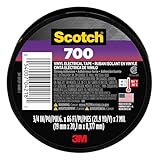
I remember staring into the guts of my first proper gaming laptop, a beast that cost more than my first car. A fan had started making this god-awful grinding noise, and a quick YouTube search suggested I needed to replace it. That meant unscrewing half the thing. Somewhere along the line, a tiny, fiddly ribbon cable had come slightly loose, and my panicked brain thought, ‘Tape! I need to tape it down!’ My mind immediately went to that roll of black electrical tape sitting in my toolbox. Can I use electrical tape inside my laptop? It felt like a legitimate question born of desperation.
The truth is, when you’re knee-deep in a repair or just trying to secure a loose wire, your mind races through all the quick fixes you can think of. Electrical tape is ubiquitous, cheap, and seemingly benign. But shoving something like that into the delicate innards of a high-tech device? That’s where the real questions start.
Why the Urge to Tape in the First Place?
Let’s be honest, most of us aren’t taking apart our laptops for the sheer joy of it. Usually, it’s because something’s gone wrong. Maybe a fan is rattling like a bag of loose screws, a Wi-Fi card decided to take a vacation, or a hinge is feeling looser than a politician’s promise. In these moments, with the case open and the screws spread out like a tiny, metallic minefield, a loose wire or a jiggling component can send a jolt of panic through you. You see it, you know it’s a problem, and your immediate instinct is to fix it. Now.
And what’s the go-to quick fix for a lot of us? Tape. Specifically, that roll of black, slightly stretchy, electrically insulating tape. It’s designed to wrap wires, prevent shorts, and generally keep electrical things from going haywire. So, if it’s good for wires outside, why wouldn’t it be good for wires inside? This is the thought process that leads many people down the rabbit hole of searching if they can use electrical tape inside their laptop. It seems logical, right? You’re not trying to conduct electricity, you’re trying to stop something from moving or shorting. It feels like a simple, accessible solution when you’re staring at a complex piece of machinery with limited tools and even less patience.
I’ve been there. More times than I care to admit. I once had a laptop where the charging port was a bit wobbly. My initial thought was, ‘Maybe I can just prop it up or secure it with something.’ The electrical tape was right there.
It’s designed for electrical applications, after all. My brain reasoned that if it stops electricity from escaping, it’s probably safe enough for a temporary fix inside.
The urge is strong because it promises a quick, cheap, and seemingly effective solution to an immediate problem. You’re not looking for a permanent, professional fix at that exact moment; you’re looking for something to stop the immediate annoyance or prevent further damage before you can get a proper repair.
The Technical Realities: What Electrical Tape Actually Does (and Doesn’t Do)
So, let’s break down what electrical tape is and why its primary function, while useful, isn’t necessarily ideal for the confined, high-heat, and precision environment inside your laptop. At its core, electrical tape is designed to insulate wires and prevent electrical current from short-circuiting. It’s typically made from PVC (polyvinyl chloride) and is coated with an adhesive. The PVC provides the insulation, and the adhesive is usually rubber-based.
The key word here is ‘insulate.’ It stops stray electrical currents from jumping where they shouldn’t. This is fantastic for the messy bundles of wires you find behind your TV or in an old appliance. However, inside a laptop, things are a bit different. The components are packed incredibly tightly. There’s heat generated by the CPU, GPU, and other parts that can get pretty significant, especially under load. Standard electrical tape, while rated for certain temperatures, might not withstand the prolonged, localized heat inside a laptop chassis as well as you’d hope. Over time, that heat can degrade the adhesive, causing it to become gummy or brittle, and it can also affect the tape’s insulating properties. (See Also: Can I Use Electrical Tape To Connect Wires )
Furthermore, the adhesive itself can be a problem. While it’s designed to stick to wires, it might not adhere well to the various plastics, metals, and circuit board materials found inside a laptop. Worse, if you ever need to remove it, that adhesive can leave a sticky residue. This residue can attract dust and debris, which is the absolute enemy of your laptop’s cooling system. Dust buildup is a major cause of overheating, which then exacerbates the very problem you might have been trying to solve, creating a nasty feedback loop. So, while it’s electrically insulating, its material properties and adhesive aren’t always suited for the long haul inside a sensitive electronic device.
Contrarian View: Why Some People think It’s Okay (and Why They’re Mostly Wrong)
Now, here’s where I go against the grain a little. You’ll find plenty of forum posts and DIY videos where people swear by using electrical tape for all sorts of internal laptop fixes. They’ll show you how they used it to secure a loose fan connector, tape down a rattling heat sink, or even reattach a cracked plastic bracket. And you know what? Sometimes, it works. For a while. The fan stops rattling, the connection stays put, and the laptop lives to tell the tale.
Their logic is often sound on a superficial level: ‘It’s just holding something in place,’ or ‘It’s not near any exposed contacts,’ or ‘It’s just for a temporary fix.’ They might point out that the tape is insulating, which is technically true. They might argue that the heat inside isn’t that high, or that their specific tape is high-temperature rated. And to them, I say, ‘Fair enough, for your situation, maybe it’s fine.’ But here’s the deal: those are often short-term solutions or are being applied in situations where the margin for error is much larger than you think.
My big issue with this line of thinking is that it overlooks the long-term consequences. That temporary fix could become a permanent problem. The adhesive could melt and ooze, shorting out a tiny component you never even knew was there. The tape could degrade and fall apart, leaving sticky residue that clogs your fans.
The heat could warp the tape, compromising its insulation. So, while I can see why people do it and I acknowledge that it can work in a pinch, I think it’s a risky gamble. It’s like using a butter knife to tighten a screw; it might work, but you’re likely to strip the screw head or bend the knife.
I’ve seen more than one laptop come to me with a sticky, melted mess inside that originated from a seemingly innocent piece of electrical tape. It’s a classic case of saving a few bucks now for a potentially much larger repair bill later.
What to Look for Instead: The Right Tools for the Job
If electrical tape isn’t the ideal choice for internal laptop fixes, what is? This is where you need to think about the specific problem you’re trying to solve. For securing loose wires or ribbon cables, the best solution is usually whatever the manufacturer intended. This might involve specific clips, small screws, or adhesive pads designed for electronics. If a connector is loose, the proper fix is often to re-seat it firmly, or if the connector itself is damaged, to replace the cable or component.
For general insulation or securing components that might vibrate, there are specialized tapes and adhesives designed for electronics. High-temperature resistant Kapton tape (polyimide film tape) is a popular choice. It’s thin, incredibly heat-resistant, and doesn’t leave much residue. It’s what you’ll often find used from the factory in many electronics. Another option, for securing things like heat sinks or Wi-Fi antennas, might be specialized thermal adhesive pads or even a small amount of electronic-grade silicone adhesive, applied sparingly and only where absolutely necessary. These are designed to withstand heat and vibration without degrading or leaving behind problematic residue. (See Also: Can Electrica Tape Catch On Fire )
For minor repairs, like reattaching a loose piece of plastic trim or securing a slightly loose component, a tiny amount of super glue (cyanoacrylate) can be effective, but you have to be extremely careful not to use too much, as it can seep into other areas. For more solid repairs of plastic parts, a two-part epoxy designed for plastics is a better bet. The key is to use materials specifically designed for electronics or for the material you’re repairing. They’re not much more expensive than electrical tape, and they’ll give you a much higher chance of a clean, safe, and long-lasting repair. Think of it as investing in the right tool for the job, rather than making do with a hammer when you need a screwdriver.
| Material | Pros | Cons | Verdict for Laptop Internals |
|---|---|---|---|
| Standard Electrical Tape | Cheap, readily available, good electrical insulation for general wiring. | Can degrade with heat, adhesive can melt/leave residue, not designed for precision electronics. | Generally not recommended. Risky due to heat and adhesive issues. |
| Kapton Tape (Polyimide) | Excellent heat resistance, thin, leaves minimal residue, good electrical insulation. | Can be more expensive than electrical tape, can be slightly fiddly to apply due to thinness. | Highly recommended for insulating and securing components where heat is a factor. |
| Double-Sided Electronic Mounting Tape | Strong adhesive, designed for mounting components, can absorb vibration. | Can be bulky, may be difficult to remove cleanly, not always suitable for high-heat areas. | Useful for securing PCBs or modules where space and heat aren’t primary concerns. |
| Specialized Electronic Adhesives (e.g., Silicone) | Designed for electronics, can withstand heat and vibration, often removable. | Requires careful application, can be expensive, might require curing time. | Excellent for specific applications like securing heatsinks or thermal pads. |
Common Mistakes and How to Avoid Them
One of the biggest mistakes people make when considering using electrical tape inside their laptop is assuming that ‘electrical’ means ‘safe for all electronics.’ It’s a dangerous oversimplification. Electrical tape is for insulating wires, often in less demanding environments. Your laptop’s internal components are delicate, operate at specific tolerances, and generate heat. What seems like a simple fix can introduce new problems.
Another common error is over-application. If you do decide to use a tape, even Kapton, people tend to go overboard, wrapping it around everything. This can impede airflow, make future repairs more difficult, and add unnecessary bulk. Less is almost always more when working inside a laptop. You only want to use it where it’s absolutely needed to secure something that is genuinely loose or needs insulation.
Perhaps the most important mistake is not understanding why something is loose or rattling in the first place. Is a screw missing? Is a clip broken? Is a component vibrating because it’s not seated properly? Taping over the symptom without addressing the root cause is a recipe for disaster. For example, if a fan is vibrating, you need to figure out if it’s unbalanced, if the mounting screws are loose, or if something is hitting it. Simply taping the fan shroud down might stop the noise temporarily, but it won’t fix the underlying issue and could even cause the fan to overheat or fail prematurely.
Finally, many DIYers forget about future maintenance. The tape you apply today needs to be removable tomorrow. If you use an adhesive that’s incredibly strong or leaves a terrible residue, you’ve made life much harder for yourself or the next person who has to work on the laptop. Always consider how easy it will be to undo your fix. This is another reason why specialized electronic tapes and adhesives are often better; they’re designed for repairability.
Practical Tips for Securing Loose Bits (without the Electrical Tape)
When you’re inside your laptop and find something that needs a gentle nudge or a bit of securing, here’s what you can do instead of reaching for that black roll:
- Re-seat Connectors: For ribbon cables and wire connectors, the first step is always to gently unlatch and re-seat them firmly. Sometimes they just need a good push.
- Check Screws: Many components, like SSDs, Wi-Fi cards, and even fans, are held in by tiny screws. Make sure they are all present and snug. If a screw is missing, try to find a replacement of the exact same size and thread pitch.
- Use Specific Clips/Fasteners: Many laptops have plastic clips or small brackets that hold wires in place. If one is broken, you might be able to find a replacement part online.
- Kapton Tape for Insulation/Securing: If you need to insulate a connection or secure a wire bundle that’s rubbing against something, Kapton tape is your best friend. It’s thin, strong, and heat-resistant. Cut only what you need.
- Double-Sided Electronic Mounting Tape: For securing non-heat-sensitive components like an SSD or a small daughterboard, a small piece of specialized electronic double-sided tape can work wonders. It’s often less prone to melting than standard tape.
- Small Amounts of Electronic Adhesive: If a component, like a heat sink or a small sensor, is rattling loose and there are no screws, a tiny dab of electronic-grade silicone adhesive can be used. Apply it sparingly and let it cure completely before closing the laptop.
- Zip Ties (Carefully!): For bundling larger wire harnesses, very small, fine-toothed zip ties can be used, but be extremely cautious not to overtighten them, as this can damage the wires inside.
The overarching principle is to use materials and methods that are designed for electronics. They are engineered to handle the specific conditions – heat, static, vibration, and tight spaces – that a general-purpose tape like electrical tape isn’t built for.
Faq: Can I Use Electrical Tape Inside My Laptop?
Is Electrical Tape Conductive?
Standard electrical tape is designed to be non-conductive, meaning it acts as an insulator to prevent electrical shorts. However, the adhesive used can sometimes become conductive if it degrades or melts due to heat, which is a significant risk inside a laptop. (See Also: Can I Substitute Duct Tape For Electrical Tape )
Will Electrical Tape Melt Inside My Laptop?
Yes, it’s possible. Electrical tape is not designed for the sustained high temperatures that components like the CPU or GPU can generate. Prolonged exposure to heat can cause the tape to soften, melt, and degrade, potentially leading to a sticky mess or even short circuits.
What Can I Use Instead of Electrical Tape Inside My Laptop?
For insulating and securing components, Kapton tape (polyimide tape) is a much better choice due to its high heat resistance and minimal residue. Specialized electronic mounting tapes and adhesives are also suitable for specific applications where heat isn’t the primary concern.
Can Using Electrical Tape Damage My Laptop?
Absolutely. The adhesive can leave a residue that attracts dust, leading to overheating. The tape itself can degrade and cause short circuits, or its bulk can interfere with airflow. It’s a gamble that often doesn’t pay off.
Is It Safe to Tape Down Loose Wires in a Laptop?
While the intention is good, using standard electrical tape for loose wires is generally not recommended. Opt for Kapton tape or specialized electronic clips and fasteners designed for such purposes to make sure safety and longevity.
Final Verdict
So, can I use electrical tape inside my laptop? The short, blunt answer is: probably not a good idea, and you should avoid it if you can. While it might seem like a quick fix for a loose wire or a rattling component, the risks of heat degradation, adhesive failure, and subsequent damage to your delicate electronics are simply too high. Think of it as using a sledgehammer to crack a nut; it might get the job done, but it’s likely to cause a lot more collateral damage.
When you’re tinkering inside your laptop, it’s always best to use materials specifically designed for the task. Kapton tape is a far superior alternative for insulation and securing, and for other issues, there are specialized adhesives and fasteners available that won’t compromise your device. Investing a few extra dollars in the right materials will save you a lot of potential headaches and costly repairs down the line.
Next time you find yourself staring into the guts of your laptop with a loose cable, resist the urge to reach for that familiar black roll. Take a moment, assess the situation, and find the proper tool or material. Your laptop will thank you for it in the long run, and you won’t have to worry about turning a minor annoyance into a major repair job.